

You update a product title in Shopify. A teammate fixes a price in the ERP. Your marketplace feed still shows the old image. Amazon has one size chart, your site has another, and customer support gets the message no one wants to read: “I received the wrong variant.”
That’s usually when people start saying the data is messy.
What they often mean is simpler than that. The business doesn’t have one trusted version of the basics. Product facts live in too many places, each team edits its own copy, and every channel sells from a slightly different story. In retail, that’s how small data mismatches turn into returns, lost trust, and late-night spreadsheet work.
If you’re managing a growing catalog, especially across Shopify, Amazon, Google, or distributor feeds, this problem gets worse as soon as the business adds more products, more regions, or more sellers. Teams building more complex setups, like creating a multi-vendor marketplace on Shopify), run into this fast because each vendor brings its own naming rules, image habits, and product structure.
The good news is that the fix is not “get better at spreadsheets.” The fix is understanding master data and deciding what counts as master data in your business.
Monday starts with a simple request. Update a backpack from “water-resistant” to “waterproof” after the supplier sends revised specs.
Sounds easy.
But the website product page still has the old bullet point. Amazon has a different material description. The warehouse team prints an outdated pick note. Paid search points shoppers to a page with the wrong dimensions. Support now has to answer whether the 20L and 25L variants use the same straps because the product images were uploaded under the wrong SKU family.
None of these problems look dramatic on their own. Together, they create a retail mess.
You’ll recognize the pattern if your team deals with any of these:
Bad product data rarely stays “just a catalog issue.” It spills into ads, fulfillment, support, and reporting.
At first, scattered product data feels manageable. A smaller team can remember where things live.
Then the business grows. More categories come in. More channels need customized content. More vendors send files in their own format. More people touch the same records.
That’s when the hidden problem appears. Your systems can still run, but they stop agreeing with each other. The catalog may look full, yet the business is operating on conflicting product facts.
This is why people ask, “what is a master data?” only after things start breaking. They’re not looking for an IT textbook definition. They want a way to stop the same preventable errors from repeating every week.
Here’s the plain-English version.
Master data is the official set of facts your business uses to describe the important things it sells, buys, ships, and manages. Think of it as the business DNA for the core entities your team depends on.
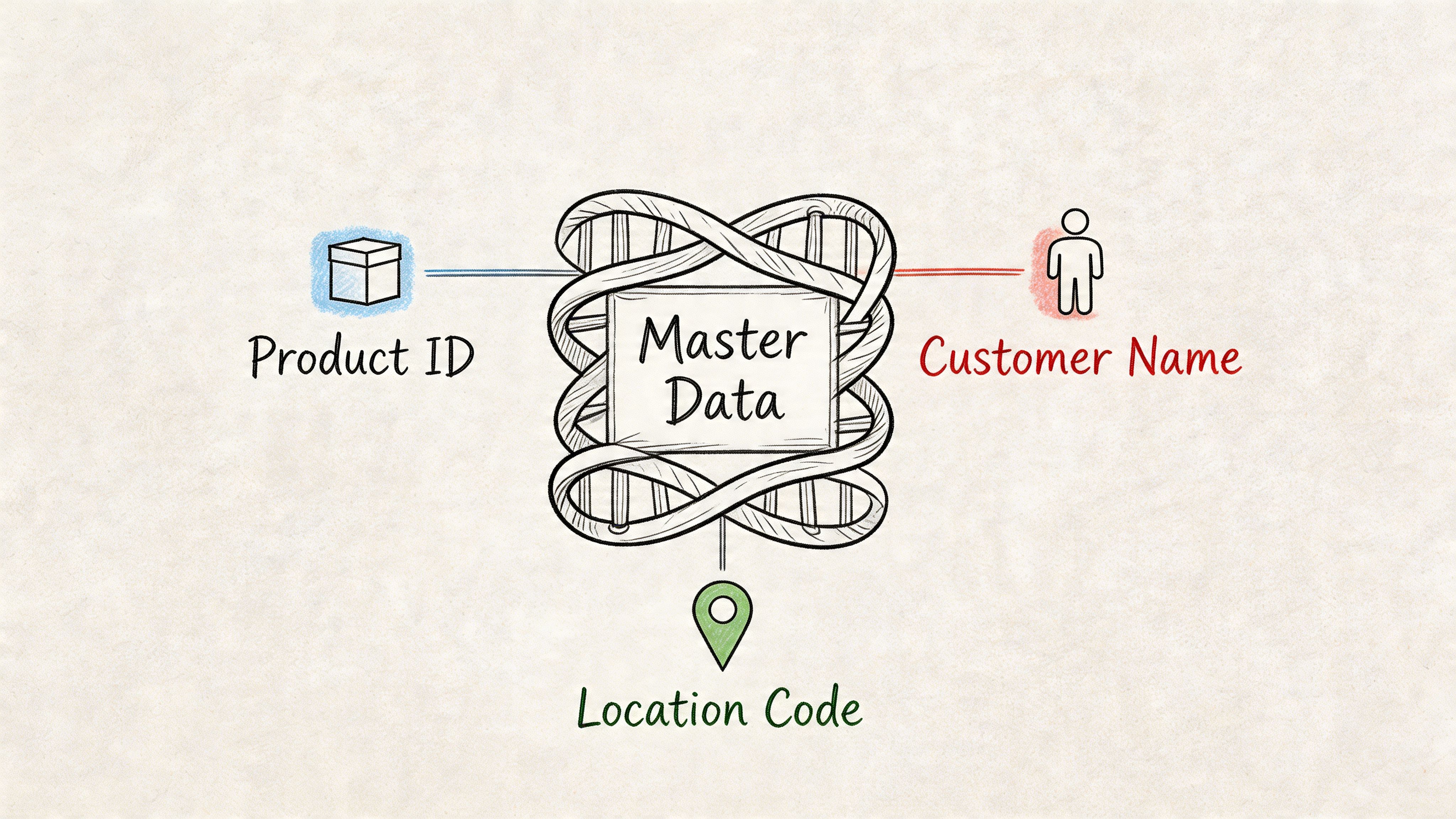
The formal definition from Snowflake’s explanation of master data management says master data is the consistent, uniform set of identifiers and extended attributes that describe the core entities of an enterprise, such as customers, products, and suppliers. It also notes that master data changes infrequently compared with transactional data, and that in eCommerce, accurate product master data can boost conversion rates by 25% through consistent and detailed listings.
If your business were a store opening every morning, master data would be the laminated binder behind the counter that says:
Everyone can work faster when they trust that binder.
Without it, every team starts making local decisions. Merchandising renames products one way. Marketing shortens titles another way. Operations updates packaging dimensions somewhere else. Soon, “the same product” is no longer the same thing across systems.
Most retail teams deal with a few common master data groups.
| Domain | Simple example | Why it matters |
|---|---|---|
| Product | SKU, title, size, color, dimensions, price, materials | Drives listings, fulfillment, ads, and returns |
| Customer | Name, email, account ID, shipping details | Keeps CRM and service records consistent |
| Supplier | Vendor name, payment terms, contact info, certifications | Helps purchasing and replenishment run cleanly |
| Location | Warehouse address, store code, region | Supports shipping, tax, and logistics rules |
For retail teams, product master data matters most because it touches almost everything the shopper sees and everything the business ships.
A basic product master record might include:
Practical rule: If multiple teams and systems need the same product fact, it probably belongs in master data.
This is also where the modern angle matters. Master data is not only a static IT label. In a real eCommerce business, you decide which data deserves “official record” status because that’s what keeps channels aligned and keeps shoppers from seeing conflicting product information.
A lot of confusion comes from one simple issue. Teams use the word “data” to describe everything.
But not all data plays the same role.
Master data is the stable business identity. Other data types support it, describe it, or record what happened around it.
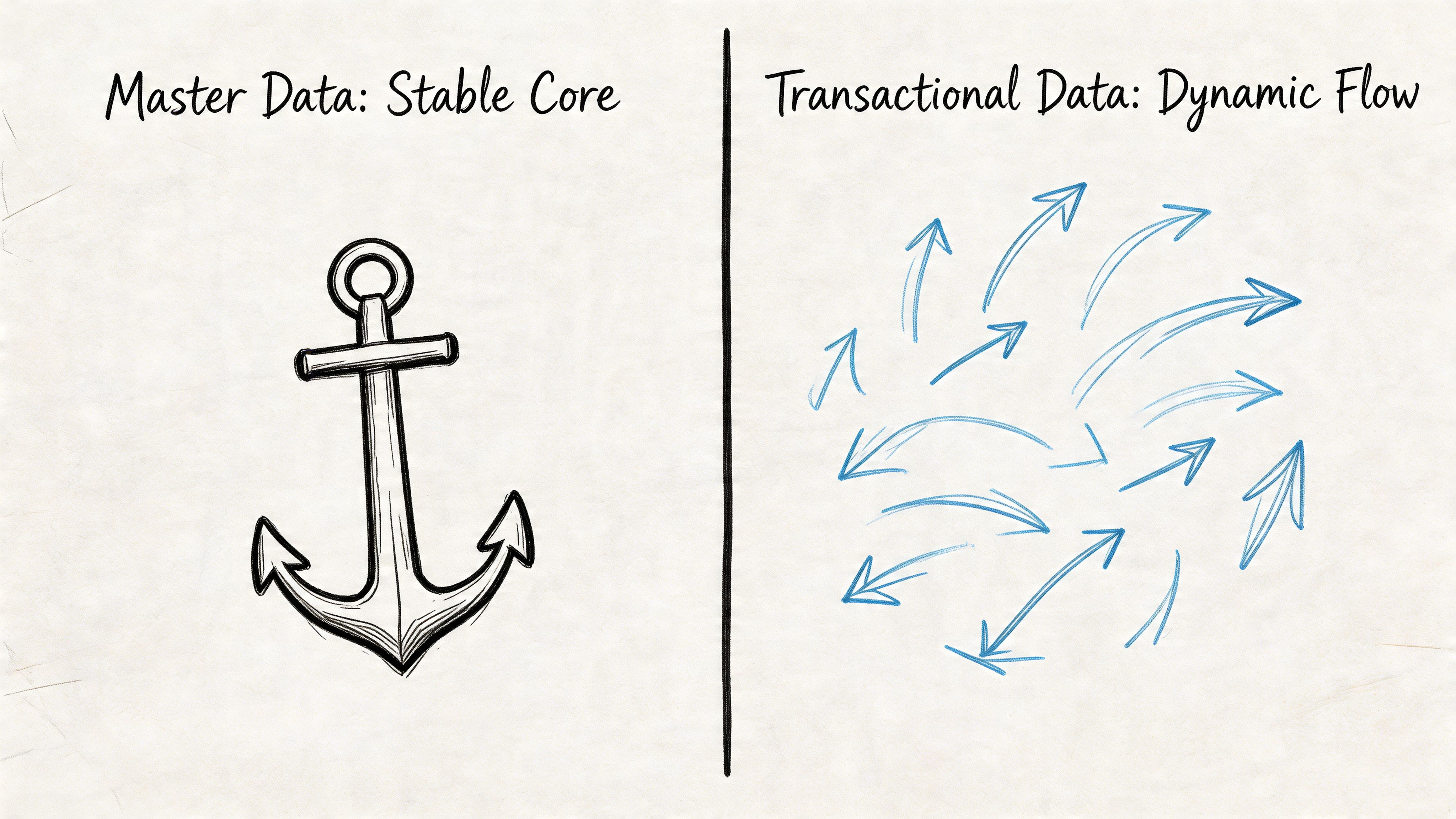
This is the easiest split to learn.
Master data describes the thing.
Transactional data records the event.
If you sell a red running shoe, the product record with SKU, color, material, size structure, and official name is master data. The order placed at 2:14 PM for size 9 with a discount code is transactional data.
A simple retail example:
The product should stay recognizable even if you sell it a thousand times. The transactions keep changing. That’s the key difference.
Reference data is the allowed list that helps keep values standardized.
If your product record says a jacket color is “navy,” that jacket is master data. The approved list of color values your systems allow, such as black, navy, olive, and stone, is reference data.
Reference data helps stop messy entries like:
For retail teams, common reference data includes:
Reference data is the rulebook. Master data is the actual record following that rulebook.
This one trips people up all the time.
Metadata is data about data.
If you have a product image, the image itself may support the product record. The file’s resolution, format, upload date, or creator name is metadata.
A quick comparison helps:
| Data type | Example in eCommerce |
|---|---|
| Master data | Product title, SKU, dimensions, supplier |
| Transactional data | Order, refund, shipment, return |
| Reference data | Color list, country codes, size chart values |
| Metadata | Image file type, last updated date, field owner |
Ask these questions:
Is this describing a core business thing?
That’s usually master data.
Is this recording something that happened?
That’s transactional data.
Is this a controlled list of valid values?
That’s reference data.
Is this describing another piece of data or file?
That’s metadata.
If a product image file says “3000x3000 JPG uploaded yesterday,” that’s metadata. If the image is the approved hero asset for SKU 123, that relationship supports your product master record.
Teams often try to fix the wrong problem. They might believe orders are broken, but the underlying issue is the product master record underneath those orders. Or they might think an image library suffices, when the missing piece is the official product record that tells every channel which asset belongs to which SKU.
Bad master data is expensive because retail systems copy mistakes very efficiently.
One incorrect size spec doesn’t stay in one place. It moves into product pages, feeds, ads, warehouse instructions, customer emails, and return reasons. By the time someone notices, several teams are cleaning up the same issue in different tools.
The fastest hit usually lands in product experience.
According to Profisee’s master data examples, inaccurate product attributes like pricing or specs can lead to 20-30% higher return rates. The same source says that cleaning up data through MDM can reduce errors by up to 40%, and improving catalog completeness from 60% to over 90% can boost conversion rates by 15-25%.
That tracks with what retail operators see every day. Shoppers don’t return products because the database was untidy. They return them because the listing promised one thing and the delivered item turned out to be another.
When master data is weak, you usually pay in several places at once:
If you're working on retail media and marketplace acquisition, clean product data matters just as much as campaign setup. Strong ad execution still depends on accurate listings, which is why resources on mastering sponsored ad Amazon campaigns are most useful when your catalog basics are already in order.
A lot of teams survive on acceptable data for years.
Then they add more channels, more variants, more seasonal launches, or more regions. Suddenly the old workaround fails because every mismatch multiplies across the business. A single copied error can affect listings, promotions, tax handling, and post-purchase communication at the same time.
That’s why data quality isn’t a side topic. It’s an operating issue. If you want a practical breakdown of what teams should measure and clean first, this guide on https://nanopim.com/post/what-is-data-quality is a useful next read.
Retail teams rarely lose margin from one dramatic data failure. They lose it through hundreds of small avoidable mismatches.
For a long time, teams heard “master data management” and pictured a giant IT project.
Months of workshops. Heavy implementation. Complex rules no business user wanted to touch. By the time the project launched, the catalog had already changed.
That old model is why governance still sounds intimidating to some retail teams. But modern governance is much more practical. It’s not about building a perfect data bureaucracy. It’s about deciding who owns key records, what “good” looks like, and how updates get checked before they spread everywhere.
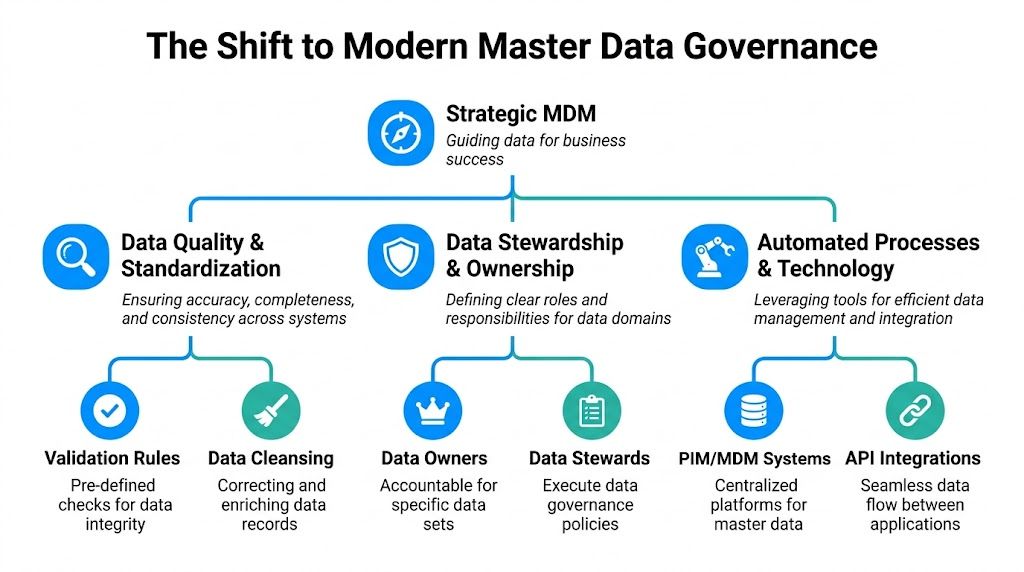
At its core, governance answers a few practical questions:
That’s it. Governance is the set of working rules that keeps your core data usable.
A solid setup usually includes four parts.
Every important domain needs a responsible owner. Not ten people. Not “the data team.” Someone specific.
In eCommerce, that often looks like this:
| Area | Typical owner |
|---|---|
| Product core attributes | Merchandising or product data manager |
| Pricing inputs | Commercial or pricing team |
| Supplier records | Procurement |
| Channel copy | Content or marketplace team |
Ownership doesn’t mean one person types every field. It means someone is accountable when the record is wrong.
Good governance defines what complete and acceptable means.
For example:
These rules should be simple enough that business users can apply them every day.
Data quality falls apart when updates happen informally.
One teammate changes a title in Shopify. Another overwrites it from a spreadsheet. A third updates a marketplace feed later. Nobody knows which version is correct.
Modern governance uses controlled workflows. Changes are proposed, checked, approved, and then synchronized. The point is not to slow people down. The point is to stop accidental damage.
Governance works best when the team can answer, “Who changed this field?” in seconds, not hours.
Good governance lives or dies on usability. If the workflow is painful, teams bypass it.
That’s why modern MDM matters. According to HICX’s overview of MDM, a 2024 Forrester study of 500 global retailers found that MDM reduced product data errors by 35%, and that correlated to an 18% revenue uplift from better eCommerce personalization. The same source says the MDM market is projected to reach $24 billion by 2026.
Those numbers reflect a bigger shift. Clean, governed data is no longer a back-office nicety. It’s a requirement for personalization, marketplace performance, and AI-ready content operations.
If you want a deeper look at the operating model behind this, https://nanopim.com/post/master-data-governance gives a useful overview of how teams define stewardship, standards, and workflow without turning governance into a bottleneck.
The modern answer to “what is a master data” is not just “a stable record in a database.”
It’s a business asset your team defines on purpose.
If a product fact affects how you sell, fulfill, advertise, or support that item, it needs ownership and governance. That’s what separates a clean catalog from a fragile one.
Most retail teams don’t struggle because they lack effort. They struggle because product data is spread across too many systems.
The ERP has supplier facts. Shopify has edited titles. Amazon has channel-specific bullets. Someone keeps dimensions in a spreadsheet. Images sit in a shared drive. By the time a team wants one trusted product record, they’re already juggling five versions of the truth.
That’s where a modern PIM and DAM setup changes the game.

A modern PIM acts as the center of gravity for product master data.
Instead of asking each channel to become the source of truth, the business stores core product facts in one governed place, then pushes approved versions outward. That changes the daily workflow in a big way.
Rather than editing product facts directly in every endpoint, teams can:
That’s the operational difference between “we have product data” and “we manage product master data.”
AI is most useful when the product basics are centralized first.
Once a team has a reliable base record, AI can help turn raw specs into usable channel content, classify missing attributes, suggest better structure, and support GEO-friendly content generation for search and marketplace surfaces.
The practical value is not magic copywriting. It’s reducing repetitive manual work while keeping the product record consistent.
According to Aico’s master data glossary, enriched master data with cascading prototypes in a PIM or DAM system can lift SEO rankings by 18-22% via structured GEO prompts. The same source says a central hub like NanoPIM’s Data Holding Bay can achieve 95%+ data accuracy and cut manual content effort by 60% through automated workflows and ERP integrations.
This is one of the most useful features for retail teams.
If a backpack comes in twelve colors and three sizes, you don’t want to re-enter the same material, care instructions, and compliance details thirty-six times. A good PIM uses parent-child logic or prototypes so shared attributes flow down correctly.
That means:
For fashion, home, beauty, electronics, and industrial catalogs, this saves a huge amount of repetitive work and reduces mismatch risk.
AI can speed up enrichment, but it shouldn’t be the final approver for critical product content.
Retail teams still need review workflows, version history, and audit trails. Someone must confirm that the generated copy matches the actual item, that regulated claims are approved, and that the right content goes to the right channel.
Here’s a useful product-level explainer if you want to connect this directly to category and channel operations: https://nanopim.com/post/what-is-a-pim-system
A short demo helps make that workflow easier to picture:
The best AI product data workflow is not fully automatic. It’s structured, assisted, and reviewable.
Retail search is changing. Product content now needs to serve not only your site search and marketplace filters, but also AI-driven discovery environments that prefer structured, consistent, high-quality attributes.
That’s why the old “just write a decent description” approach is wearing out. Teams need complete and governed product records that can feed multiple channels cleanly. A strong PIM turns product master data into a reusable asset, not a one-off listing task.
You don’t need a huge transformation plan to get started. You need a practical first pass that cleans up the data your business depends on most.
Use this checklist with your merchandising, operations, and marketplace teams.
Start with the domain that creates the most pain when it’s wrong.
For most eCommerce teams, that’s product data. For others, it may be supplier records, customer profiles, or location data.
Ask:
List every place the same record exists.
Don’t overcomplicate this. A shared sheet is enough for the first pass.
Include things like:
The point is to expose duplication. The same product facts are often already sitting in several tools.
This step removes a lot of hidden confusion.
Set one accountable owner for each area, such as product core attributes, supplier details, and channel content. If everyone can edit everything, no one owns quality.
You need a clear rule for what “complete enough” means.
For a product, that may include:
A shared spreadsheet is not a long-term answer once the catalog gets large.
Pick a system that can centralize product records, manage variants, track updates, and support approval flows. In retail, that usually means a PIM with DAM support, integrations, and enough structure to govern changes.
Don’t try to clean the whole business at once.
Choose one category or supplier set and improve it end to end. Fill missing attributes. Standardize naming. Fix variant relationships. Review images. Push the cleaned version to your main channels.
That gives the team a repeatable model instead of a giant abstract initiative.
Start where bad data hurts revenue or operations the most. That’s usually where buy-in comes fastest.
Sometimes yes, sometimes no.
The media file itself often sits closer to DAM. But the approved relationship between that asset and the product can absolutely function like master data in practice. If the wrong image attached to the wrong SKU creates shopper confusion, that link needs governance just like any other core product attribute.
Traditionally, yes. In modern retail operations, the boundary is getting softer.
According to Informatica’s discussion of master data management, 40% of retailers are reclassifying dynamic product content as master data to keep it consistent across AI search engines like Google and Amazon. That’s a useful reminder that your business can define master data based on operational value, not just old textbook labels.
Earlier than generally thought.
You don’t need to be a giant retailer. Once multiple systems, channels, or people are maintaining the same core records, master data matters. Even a smaller brand can run into master data problems fast if it sells in several marketplaces or manages a lot of variants.
Absolutely.
Products get renamed. Suppliers change terms. Packaging dimensions are revised. New AI-ready content fields may become essential. The point of master data is not that it never changes. The point is that when it does change, the business updates the official record in a controlled way.
Use a simple rule.
If the same data point needs to stay consistent across teams, systems, or channels, treat it as a candidate for master data. In retail, product attributes are usually the first and most important place to start.
If your team is tired of chasing product errors across spreadsheets, feeds, and channel dashboards, NanoPIM gives you a practical way to centralize product data, manage assets, enrich content with AI, and keep changes governed before they hit Shopify, Amazon, Google, or your ERP. It’s built for modern retail teams that need clean master data without enterprise-level complexity.


