

Moving your database isn't just some IT busywork. It's about shifting data from an old system, maybe a creaky local server, to a modern cloud platform. For anyone in eCommerce, this is a strategic imperative. You're not just moving files; you're building the engine to handle massive product catalogs, slash your time-to-market, and get ready for the future of AI-driven commerce.
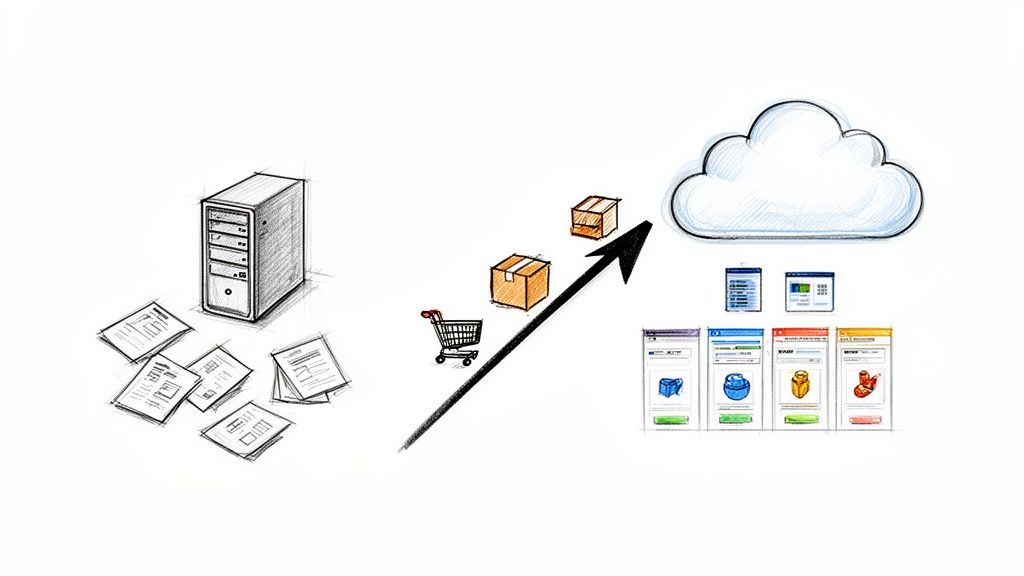
Let's be honest, no one wakes up excited to migrate a database. It’s a project born from real, tangible business pain. I’ve seen countless growing retailers and manufacturers hit a wall with legacy, on-premise systems that just can't keep pace anymore.
These outdated platforms inevitably become a bottleneck. They bog down your ability to launch new products, expand into new sales channels, or even make simple updates to your product catalog. The result is a direct hit to your agility and your bottom line.
Picture this scenario, it’s more common than you think. Your product data is scattered to the winds. You've got one version in your ERP, another in a dozen spreadsheets, and slightly different details on your website versus your Amazon and Google Shopping listings. This is data chaos, and it creates serious problems.
When your data is that fragmented, even simple tasks become monumental efforts. Updating a price across all channels might require several teams to manually punch in data, system by system. This doesn't just waste time; it introduces a huge risk of errors that can erode customer trust and kill sales.
This disconnected approach leads to a few key issues:
This is precisely why a database migration has become such a critical strategic decision. By moving your product information to a modern, centralized platform, you can finally put these problems to bed and unlock a real competitive advantage.
A successful migration is more than an IT upgrade. It's about building a single source of truth for your product information, the foundation for a better customer experience and smarter business decisions.
A smooth transition can be transformative. Suddenly, your time-to-market for new products gets cut from weeks to just days. Your product listings on platforms like Amazon and Google become richer and more accurate, which has a direct, positive impact on your visibility and conversion rates.
Often, database migration is a key piece of a much larger enterprise application modernization strategy, unlocking benefits that ripple across the entire business.
This centralized data hub also future-proofs your operation. With clean, structured, and reliable data, you’re perfectly positioned to adopt advanced tech like AI-powered search and personalization. It’s not just about efficiency today; it's about being ready for what’s next. Of course, a solid foundation also demands strong oversight. To dig deeper, check out our guide on creating effective data governance policies.
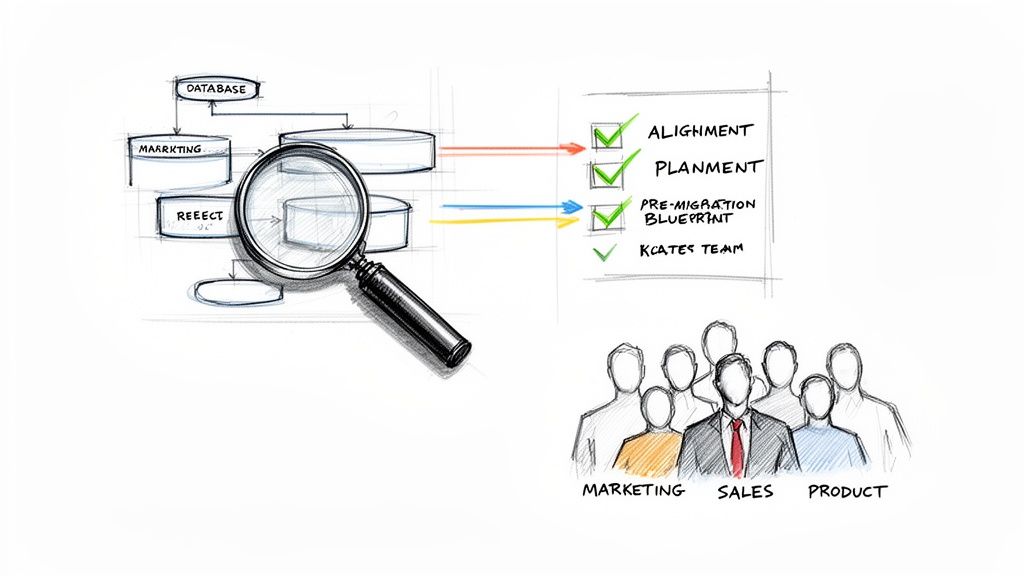
Let's be blunt: starting a data migration without a plan is just asking for a disaster. I've seen it happen. Teams dive in, only to find their project is unstable, over budget, and full of nasty surprises. A great migration is won or lost long before you touch a single byte of data.
It all starts with a rock-solid blueprint. This is your chance to audit what you have, get brutally honest about where you’re going, and get everyone from engineering to marketing on board. Your goal is to kill as many "what ifs" as you can, right now.
First things first, you have to know what you’re moving. That means a no-holds-barred audit of your source database. This isn't just about counting tables; it’s about mapping the entire, messy, interconnected web of your data.
Get in there and document everything. You need to know all the data types, the current schema, and every single trigger or stored procedure lurking in the background. Most importantly, this is how you find the hidden landmines, those forgotten reports or downstream apps that will shatter the moment their data source vanishes.
This process almost always uncovers skeletons in the closet. You'll find ugly data, duplicate records, and obsolete information that has no business being migrated. It’s better to find it now and clean it up, believe me.
Once you have a clear map of your data, you can define what "done" actually looks like. Vague goals like "make it better" are useless. Get specific. Are you trying to slash server costs by 30%? Or maybe cut the time it takes to get a new product live by half?
Just as crucial is locking down the scope. What’s in and what's out? Are you moving a decade of historical data, or just the last few years? Are we talking about the product catalog only, or is customer and order data coming along for the ride?
Getting this clarity is non-negotiable. It’s how you get buy-in from other teams. When sales and marketing see the specific benefits and agree on the scope, getting the resources you need becomes a thousand times easier.
A migration isn't just an IT project. It’s a business project that happens to be technical. Getting all departments to sign off on the goals is the only way to ensure you're solving a real business problem.
As you build this blueprint, lean on established data migration best practices. They provide a proven playbook for managing risk and will save you from reinventing the wheel.
Every single migration project carries risk. The smart move is to hunt those risks down early and make a plan to deal with them. A proactive risk assessment is your best defense against having your timeline and budget blown to pieces.
Here are the usual suspects you need to watch out for:
For every risk you identify, build a contingency plan. What’s the protocol if you find massive data corruption? Who gets the call if a critical app breaks during testing? Answering these questions now turns a future five-alarm fire into a manageable checklist item.
You’ve got your migration blueprint locked down. Now comes the part where planning meets reality: picking your tools and deciding where your data will live.
This is arguably one of the most critical stages. The right choices here can mean a smooth, predictable cutover. The wrong ones? Let’s just say they lead to blown budgets, corrupted data, and some very long nights for your tech team.
Let's be honest, for most eCommerce businesses in 2026, the conversation about a target database begins and ends with the cloud. The scalability, reliability, and cost-effectiveness of platforms like Amazon Web Services (AWS), Microsoft Azure, and Google Cloud Platform (GCP) are simply too compelling to ignore.
But which one is right for you? Each of the "big three" has its own flavor of migration services, and the best fit often depends on your team's existing skills and your current tech stack.
If your team is already fluent in the Microsoft ecosystem, Azure is often the path of least resistance. Their Azure Database Migration Service feels like a natural extension, offering a guided path for moving SQL Server, MySQL, and other databases.
AWS is the long-standing giant in the space, and its AWS Database Migration Service (DMS) is a true workhorse. It supports a staggering number of source and target databases, making it a go-to for complex, heterogeneous migrations.
GCP has made a name for itself with its serverless-first approach. Its Database Migration Service is refreshingly simple and can drastically cut down on the operational lift required from your team during the project.
There's no single "best" choice here. Your goal should be to evaluate which platform's tools and services align most closely with your migration plan and your team's expertise.
Choosing a cloud platform for your database migration is a major commitment. While they all offer powerful tools, their specific strengths, pricing models, and integrations can vary significantly. Here’s a quick breakdown of what the big three bring to the table for eCommerce migrations.
| Feature | AWS (Amazon Web Services) | Microsoft Azure | Google Cloud Platform (GCP) |
|---|---|---|---|
| Primary Service | AWS Database Migration Service (DMS) | Azure Database Migration Service | Database Migration Service (DMS) |
| Downtime Approach | Strong support for continuous replication for minimal downtime | Well-integrated for near-zero downtime, especially for SQL Server | Serverless architecture designed for minimal downtime migrations |
| Supported Databases | Very broad support for both homogenous and heterogeneous migrations | Strongest for Microsoft SQL Server, but supports other major DBs like MySQL, PostgreSQL | Good support for MySQL, PostgreSQL, and Oracle; focused on simplicity |
| Best For | Complex, multi-database environments; teams needing maximum flexibility | Organizations already invested in the Microsoft/Azure ecosystem | Teams prioritizing ease of use, serverless architecture, and lower operational overhead |
| Key Differentiator | The sheer breadth of supported database engines and migration scenarios | Deep, native integration with on-premise Microsoft products and Azure SQL | A fully serverless, simple-to-manage experience from start to finish |
Ultimately, your choice will hinge on your specific needs, whether that's the raw power of AWS, the seamless integration of Azure, or the elegant simplicity of GCP. Do a small proof-of-concept on your top contender before committing fully.
Once you’ve picked your destination, you have to decide on the vehicle. This boils down to another key decision: will you use the built-in database utilities or invest in a specialized third-party platform?
Native database utilities are the tools that come bundled with your database management system, think mysqldump for MySQL or the import/export wizards in SQL Server Management Studio. They’re free, your DBAs probably know them inside and out, and for simple, homogenous migrations (like MySQL to MySQL), they can work just fine. But their limitations show up fast in more complex scenarios.
That’s where third-party ETL/ELT platforms come in. These are purpose-built tools designed specifically for moving and transforming data at scale. They cost money, but the investment often pays for itself by saving hundreds of developer hours. They provide advanced features for data mapping, transformation workflows, and scheduling that you’d otherwise have to build from scratch.
The right tool isn't just about getting data from A to B. It’s about giving you visibility into the process, guaranteeing data integrity, and minimizing the risk of costly errors. A great tool buys you confidence.
For any eCommerce business, a database migration is really a product catalog migration, and that’s a different beast entirely. You’re not just moving rows in a table; you’re moving complex relationships between products, variants, attributes, and digital assets.
This is where a Product Information Management (PIM) system can be your secret weapon, serving as both the ideal destination and a powerful migration tool.
A dedicated PIM like NanoPIM is engineered to manage product data chaos. Instead of wrestling with custom scripts to detangle a mess of spreadsheets and legacy database fields, you get a system built for the job. Our Data Holding Bay, for example, is a game-changer for migrations. It creates a safe, isolated staging area where you can import, validate, and cleanse all your data before it ever touches your live system.
This single feature dramatically lowers the risk of polluting your new, pristine database with bad data from the old one. It’s a core component of the modern data integration services that protect your most valuable asset: your information.
Better yet, features like automated attribute mapping let you intelligently connect columns from your old system (e.g., prod_color_1, ColorValue, style_c) to a single, unified "Color" attribute in your new PIM schema. This approach doesn't just simplify the migration, it ensures your data comes out cleaner, richer, and far more valuable on the other side.
You’ve got your plan, your tools are lined up, and the new target environment is ready to go. Now for the fun part: actually moving the data. This is where all that careful prep work pays off and a methodical process keeps you out of hot water.
We’re moving from the nitty-gritty of mapping to the final, nail-biting moment of cutover. Let’s dive in.
Data mapping is where you’ll spend a lot of your time, and for good reason. It’s the art of drawing a straight line from every field in your old database to its new home in the target schema. Think of it as creating a detailed manifest for every single piece of information you’re moving.
This gets messy fast, especially with complex product data. I’ve seen projects where a single "Color" attribute in the new system had to pull from three different columns in the old one: prod_color, variation_color, and alt_color. That’s not a simple copy-paste; it’s a logic puzzle.
The same goes for your digital assets. You need a rock-solid plan for linking product images, PDFs, and videos from their old locations to your new DAM, making sure they don’t get orphaned along the way.
Data mapping isn't a tech-only task. It's a business logic exercise. It forces you to decide how your data should be structured for the future, not just how it was cobbled together in the past. This is your chance to clean house.
With your map in hand, it’s time to decide how you're going to move. There are really only two ways to go, and each has major implications for an eCommerce business.
For just about any online business, the goal is to get as close to a phased approach as you can. Protecting revenue and the customer experience is everything.
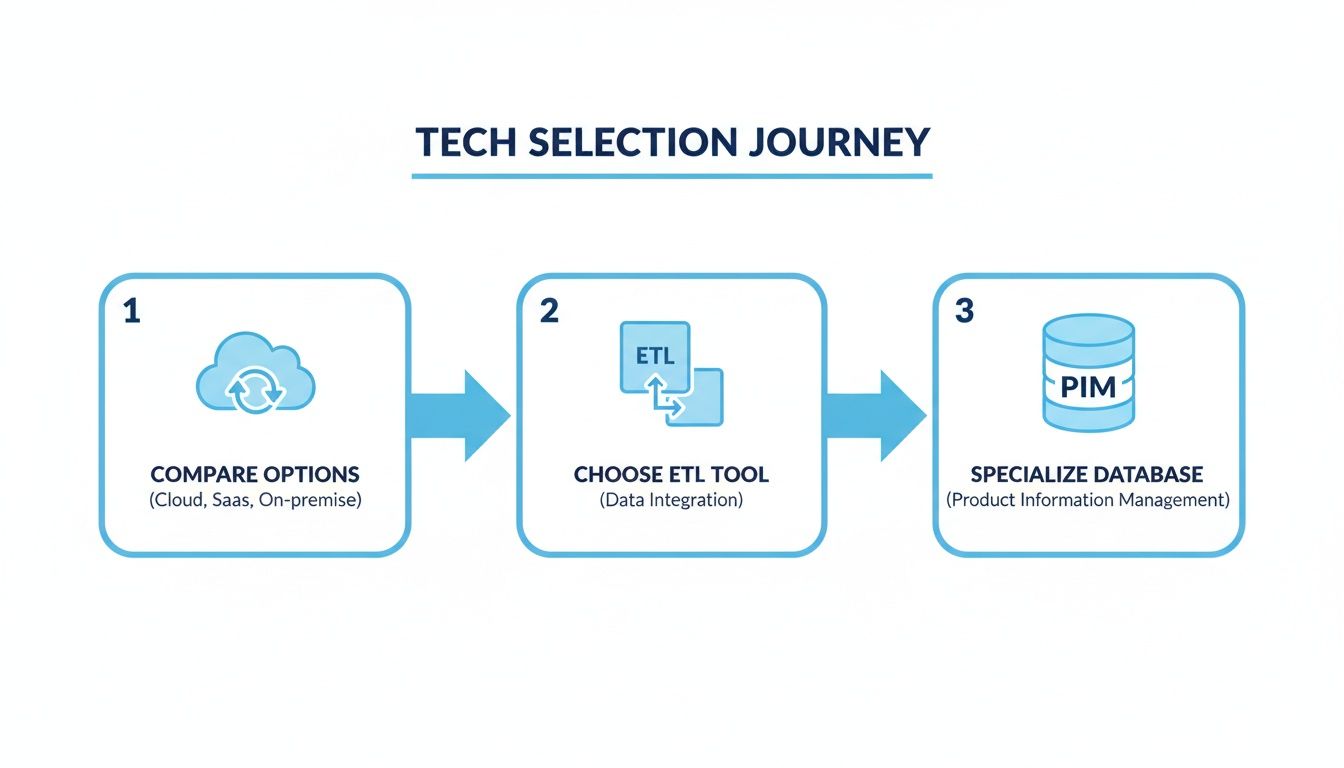
The journey above shows a smart way to think about the tech that enables your migration. It’s a path that naturally supports a low-risk, phased approach by starting with the right platform, picking the right tools, and using a PIM to specialize for your most valuable asset: your product data.
For any live eCommerce site, "zero-downtime" is the ultimate prize. It takes more work, absolutely, but it’s achievable. The secret is to keep both the old and new databases running and perfectly in sync for a period of time.
One of the most effective ways to do this is with bidirectional replication. This technique copies data changes from the source database to the target, and crucially, vice versa. With both systems live and mirrored, you can start peeling off traffic and sending it to the new system without anyone noticing.
This gives you an incredible safety net. If you hit a snag, you just point the traffic back to the old system, which has been kept perfectly up to date. No panic, no lost sales.
Let me be blunt: rigorous testing is the single most important thing you will do. The vast majority of migration projects run into trouble, and almost every time, the root cause is cutting corners on testing. You have to test early and test often.
A solid testing plan has multiple layers:
prod_color actually land in the new "Color" attribute, and is it formatted correctly?Skipping this stage is a false economy. The hours you "save" will be paid back tenfold when you’re scrambling to fix problems on a live site with customers screaming. That’s a place you never want to be.
Getting the data moved is a huge milestone, but don't pop the champagne just yet. The job isn't finished. I like to think of it like moving into a new house. All the boxes are inside, but now you have to unpack, check that nothing broke in transit, and arrange everything so you can actually live there. This final leg of a database migration is all about validation and optimization.
This is the phase where you prove all that hard work paid off. It's about confirming the new system is stable, performs like it should, and, most importantly, is ready to start delivering the business value you planned for from day one.
The moment you cut over, your team needs to jump into a series of validation checks. This is no time for assumptions; you need to prove the migration was a success with cold, hard facts. A structured checklist is your best friend here, preventing critical details from slipping through the cracks.
Here are your immediate priorities:
A successful migration isn't just about moving data without errors. It's about proving the new system is healthier and more reliable than the one it replaced. This validation step is your final quality gate before declaring victory.
Once your new database is stable and has been humming along smoothly for a predetermined period, it's time to pull the plug on the old system. This step gets overlooked more often than you'd think, but it's crucial for two big reasons. First, it saves money. You stop paying for servers and licenses you don't need anymore.
Second, it plugs a major security hole. An abandoned, unpatched database is a massive and tempting target for attackers. Formally decommissioning it by shutting it down and archiving a final backup removes that vulnerability from your environment for good.
The migration project might be over, but the real fun is just getting started. This is where a one-off technical project morphs into a continuous engine for business growth. With all your product data finally in one clean, reliable place, you can start to do some pretty powerful things.
A great place to start is building out dashboards that track key metrics in real time.
This level of active oversight is a cornerstone of building a robust data quality framework that keeps your information pristine for the long haul.
From there, the possibilities just keep expanding. You can use your high-quality product data to supercharge everything from your Google SEO performance to your Amazon listings, ensuring every channel has the absolute best and most current information. This is exactly how you turn a technical migration project into a lasting competitive advantage.
Of course. Here is the rewritten section, crafted to sound natural and human-written, following all your specific requirements.
No matter how many migrations you've run, a few key questions always pop up. It's natural. A database migration is a massive undertaking, and even the most seasoned teams have concerns floating around the war room.
Let's tackle some of the most common ones I hear from teams on the ground. Getting these answers straight is often the first step toward a successful project.
Without a doubt, the two demons of any migration are unplanned downtime and data loss. They’re two sides of the same coin, and both are catastrophic for an eCommerce business. Downtime is a direct hit to revenue, turning away customers and stopping sales cold.
Data loss, or even just data corruption, is arguably worse. If you lose or scramble customer profiles, product specs, or order histories, you’re not just losing data; you’re torching brand trust. It's a long road back from that. I've seen countless migrations get derailed because these two risks weren't taken seriously from day one.
So how do you fight back? There are a few non-negotiables:
The most effective defense is a staging area, or what we call a Data Holding Bay. It’s a safe space where you can validate all your data for accuracy and completeness before it ever goes live, dramatically reducing the risk of data integrity issues.
This is the classic "how long is a piece of string?" question, but we can put some real-world numbers on it. Your timeline really boils down to three things: the sheer volume of your data, its complexity, and your team's familiarity with the migration tools.
For a small, clean database, you might be looking at a few weeks. But for a sprawling eCommerce catalog, think millions of SKUs, complex attributes, and a decade of historical orders, you need to plan for a marathon, not a sprint. A realistic timeline for a project of that scale often lands in the three to six-month range, from the first planning meeting to the final go-live.
And remember, that’s not just for the data transfer. That window includes the crucial time for planning, mapping, development, and multiple rounds of rigorous testing.
Yes, it’s absolutely possible. It’s not easy, and it requires some specific tech and meticulous planning, but for any 24/7 operation, it's the gold standard.
The most common way to pull this off is with bidirectional replication. This technique essentially keeps your old and new databases in a perfect, real-time sync. You run both systems in parallel, mirroring every transaction. This lets you gently shift traffic over to the new environment. If anything looks off, you just point the traffic right back to the old system, which never missed a beat.
For any business that sells products, let's be honest: a "database migration" is really a "product data migration." This is exactly where a Product Information Management (PIM) system becomes your most valuable player.
Migrating your product catalog out of a legacy system and straight into a generic database is a missed opportunity. A PIM is a purpose-built environment designed to handle the messy, complex reality of product information. It has built-in import tools, validation rules, and attribute mapping workflows, all the things you'd otherwise have to build yourself, and all the things that prevent data chaos.
This doesn't just make the migration itself faster and safer. It sets you up with cleaner, more organized, and more valuable data from the moment you go live.
A modern PIM like NanoPIM is built to be the ideal destination for a product data migration. Features like our Data Holding Bay and automated enrichment flows don't just protect your data during the move, they get it ready for the AI-driven future of commerce. See how we make the process simpler and safer at https://nanopim.com.


