

If you're planning a cloud move right now, you're probably staring at a messy mix of product spreadsheets, ERP exports, image folders, marketplace templates, and a DAM that only one person fully understands. On paper, “migrating data to the cloud” sounds like a technical project. In practice, for product and media teams, it's an operating model change.
That difference matters.
A generic database migration playbook won't save you when variant families break, image links go stale, channel attributes stop mapping cleanly, or old product descriptions get pushed into a shiny new cloud stack without getting any better. PIM and DAM migrations fail in very ordinary ways. The team moves data successfully, but loses meaning, trust, and workflow along the way.
The good news is that product data has patterns. Media libraries have patterns too. If you approach the move as a controlled redesign, not a bulk copy job, you can come out with better structure, cleaner content, and a system that’s ready for AI enrichment instead of being wrecked by it.
A file count is not an audit.
Knowing that you have a certain number of SKUs, folders, or exports doesn't tell you which system is trusted, which attributes drive downstream channels, or where your catalog breaks under pressure. In PIM and DAM work, the hidden problems usually live in relationships, not in the raw record count.
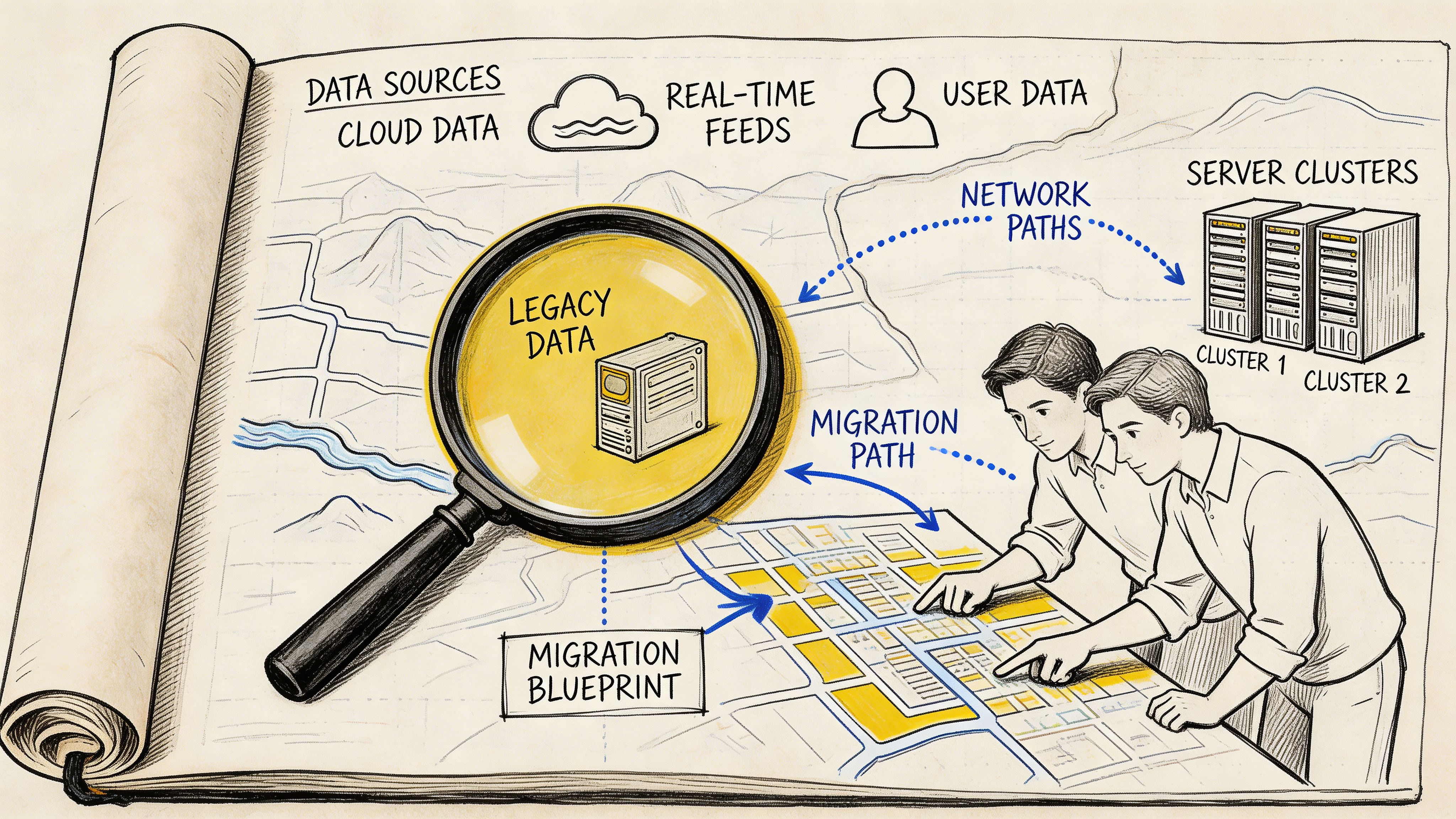
Start with data quality, not quantity.
Pull a representative slice of products across categories, brands, regions, and lifecycle stages. Include active products, discontinued ones, seasonal items, bundles, and anything with child variants. Then inspect what matters:
A simple data dictionary helps here. It doesn't need to be academic. It needs to be useful. For each field, capture the business meaning, source system, expected format, allowed values, downstream consumers, and whether the field is authoritative or derived.
Practical rule: If two teams can answer “where does this value come from?” differently, you do not have a source of truth yet.
Completeness is often misunderstood.
A product can look complete inside an old PIM and still fail in practice because Amazon needs one set of fields, Google wants another, your ERP expects a manufacturer code, and your internal search relies on normalized attributes. For DAM, completeness also means rights metadata, usage status, and channel-ready renditions.
Use a short audit matrix like this:
| Area | What to verify | Common problem |
|---|---|---|
| Core product records | IDs, family structure, status, taxonomy | Duplicate IDs or weak parent-child rules |
| Variant data | Size, color, material, pack size | Variant values stored as free text |
| Commercial fields | Pricing references, sell units, availability flags | Field logic handled outside the system |
| Media assets | File references, alt text, usage tags, renditions | Assets exist but aren't linked correctly |
| Channel fields | Marketplace attributes, SEO fields, localization | Teams manage them in separate sheets |
If you need a practical outside checklist for the planning stage, this practical guide to cloud migration planning is useful because it frames discovery as a business and dependency exercise, not just an infrastructure task.
Dependencies are where migrations get expensive.
Product data is rarely flat. A single “simple” SKU may inherit brand text from one table, dimensions from another, compliance copy from a regional source, and media from a DAM path that was manually patched years ago. The same product may also feed your website, retailer feeds, search indexes, print exports, and ad platforms.
At Children’s Hospital of Philadelphia, a network graph captured data dependencies and scored assets via centrality measures, which helped teams prioritize high-influence tables so complete dashboard readiness improved compared with traditional sequencing, as described in Alation’s write-up on cloud migration pain points. That same logic applies directly to PIM and DAM work. In a catalog, some entities have outsized downstream impact. Parent products, shared attributes, channel mappings, taxonomies, and master asset records should usually move earlier than low-impact leaf records.
A migration needs explicit finish lines.
Use success metrics that business and technical teams both understand. For product data, that usually includes completeness, record matching, taxonomy accuracy, asset linkage, and workflow readiness. For DAM, include rendition availability, metadata transfer, and rights visibility.
Keep the list short enough that people will use it:
Teams that skip this groundwork usually end up “successfully” migrating bad assumptions. That's how a cloud project finishes on schedule and still creates months of cleanup.
A lot of cloud migrations fail undetected at the design stage.
The team exports the old structure, maps fields one by one, and rebuilds the same limitations in a newer environment. That feels efficient early on. Later, it becomes the reason every channel expansion, localization project, or AI workflow turns into rework.
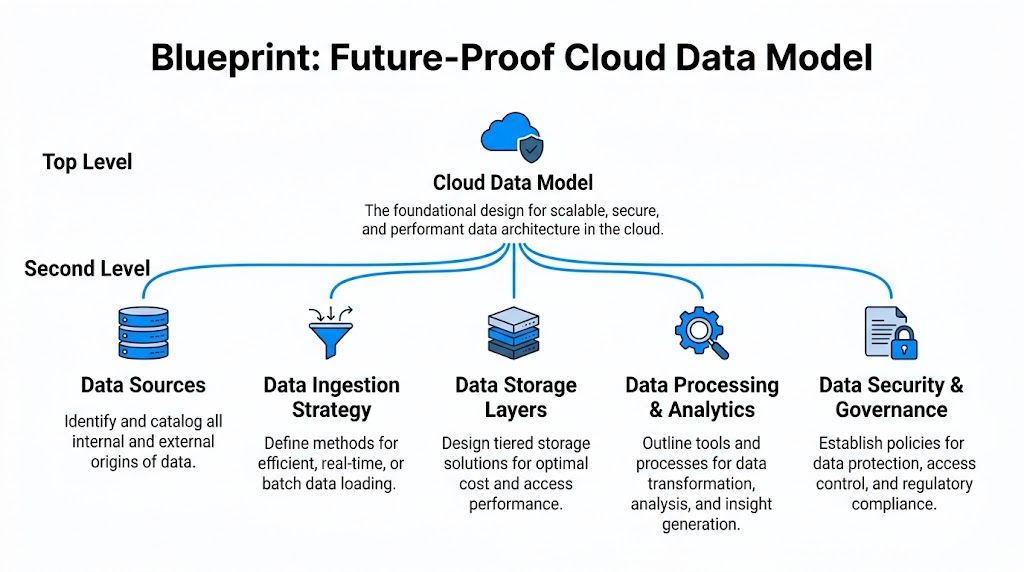
The better approach is to treat the target model like a house blueprint. You don't redraw every crack from the old building. You decide what rooms you need, what should be load-bearing, and where future expansion has to fit cleanly.
Poor strategy ruins plenty of technically sound projects. Gartner research says 60% of digital initiatives stall or fail due to poor data migration strategies, and 85% of enterprises have adopted or plan to adopt a cloud-first principle by 2025, as cited in Quinnox’s summary of data migration importance. For product teams, that usually shows up as bad schema decisions made too early.
A future-proof model separates concerns. Product identity should not be tangled with channel-specific copy. Shared attributes should not be duplicated across every SKU if inheritance can handle them. DAM metadata should not depend on file names to carry business meaning.
Build around durable entities:
That sounds obvious, but many legacy setups still mix these ideas in one giant export.
Variants are where weak models get exposed fast.
If color, size, voltage, pack count, or region-specific packaging can change independently, model those choices explicitly. Don't store them as decorative text fields. A product title can mention “Blue / Large”, but your system should know that color and size are distinct, structured attributes with valid values and inheritance rules.
A simple comparison helps:
| Modeling choice | What works | What breaks later |
|---|---|---|
| Flat SKU rows | Fast to import | Hard to manage parent-child logic |
| Parent-child variant model | Clear inheritance and rollups | Requires better governance |
| Channel-specific fields mixed into master records | Quick for one channel | Messy when channels diverge |
| Separate master data from channel overlays | Cleaner scaling | More planning up front |
For eCommerce catalogs, I usually push teams to model master truth once, then add channel overlays only where needed. That keeps the base record stable while letting Amazon, Google, distributors, and D2C storefronts each get the formatting they need.
A cloud model should survive growth.
That means accounting for localization, attribute expansion, new media types, and AI-generated content before you need them. If your model has nowhere to store generated summaries, review states, prompt-derived attributes, or alternate copy by channel, your “modern” platform will force shadow workflows right away.
A useful way to sanity-check the design is to ask:
If your target model can't do those things, you're not designing for the AI era. You're just relocating technical debt.
For a broader engineering perspective on why this matters, this piece on cloud computing scalability is worth reading. The core idea applies directly to product systems. Scalability isn't just compute. It's whether your data model can grow without turning every update into a workaround.
A cloud PIM or DAM becomes expensive when every new channel forces structural exceptions.
Good data models carry governance in the design.
That means controlled vocabularies, validation rules, approval states, and ownership boundaries are not afterthoughts. If “material” has one valid set of values, encode that. If regulated attributes need review before publication, encode that too. If assets need rights status before syndication, make it part of the workflow.
This also protects migration quality. When the target model is stricter than the source, bad data gets surfaced early instead of being hidden behind permissive imports.
That tension is healthy. It forces decisions that old systems let teams avoid.
For teams migrating data to the cloud, the core design question isn't “how do we map what we have?” It’s “what structure will still make sense after the next category expansion, channel launch, and AI content rollout?”
The move itself is where planning meets reality.
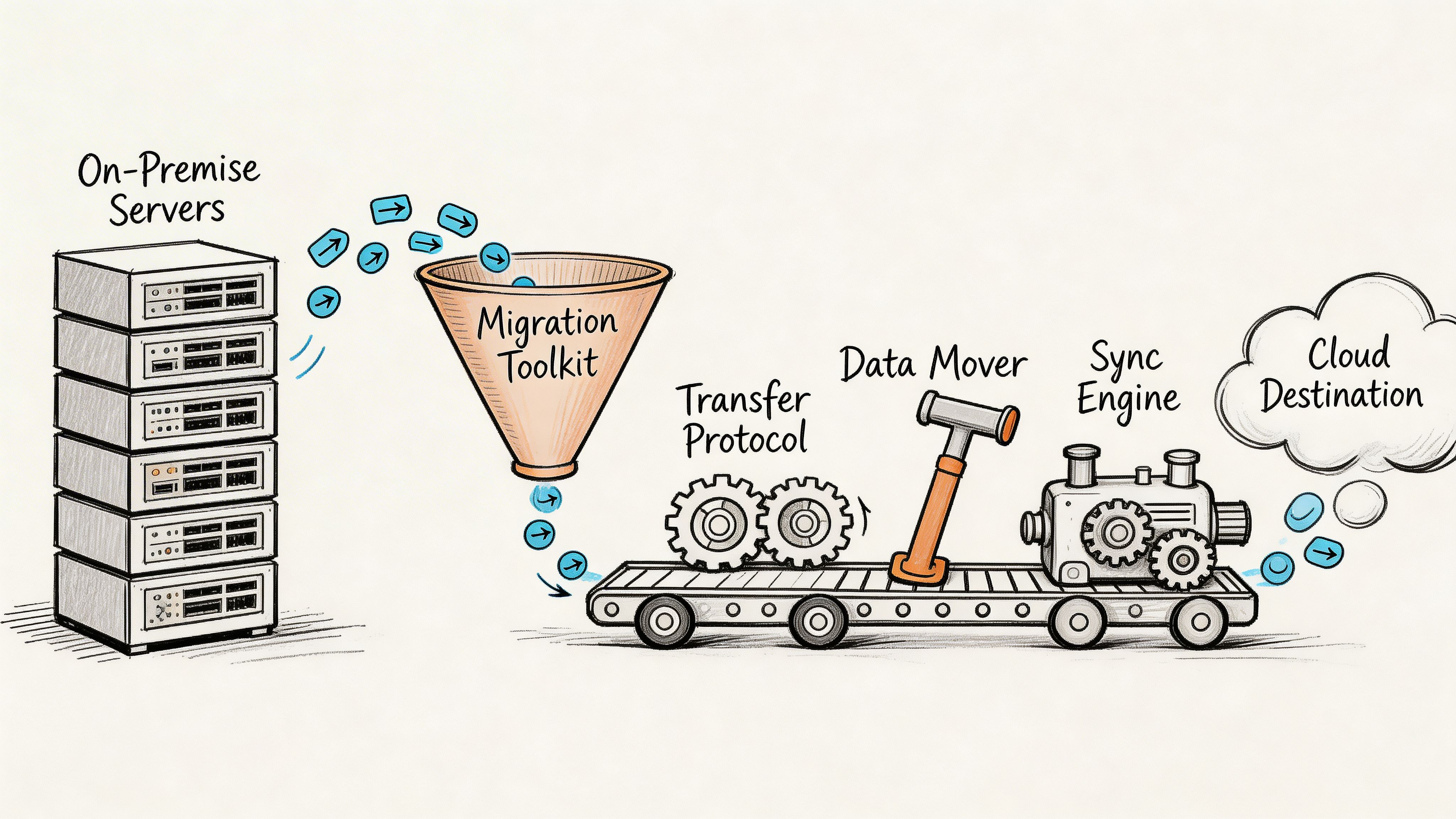
This is the part people imagine when they hear “migration.” Exports, transforms, loaders, sync jobs, cutover windows. For PIM and DAM teams, the hard part isn't just moving rows. It's moving relationships, preserving asset links, and deciding how much operational risk you're willing to carry during the transition.
There isn't one right answer. There is a right answer for your catalog.
A big bang migration moves everything in a single cutover. A trickle migration moves in controlled waves while old and new systems coexist for a period. Seasonal catalogs make the trade-off easy to see.
If you're about to launch a major holiday assortment with lots of price changes, late media swaps, and channel updates, a big bang can be dangerous. Every late change increases the chance that one system is current and the other is not. In that case, trickle usually gives you better control.
If your catalog is comparatively stable, your teams can freeze changes, and your integration footprint is small, big bang may be fine.
Here’s the practical comparison:
| Method | Best fit | Main upside | Main risk |
|---|---|---|---|
| Big bang | Stable catalog, clear freeze window | Faster transition, less dual maintenance | High cutover pressure |
| Trickle | Active catalog, many dependencies | Lower operational shock | Requires sync discipline |
Most product and media environments benefit from a phased migration.
Move low-risk data first. That could mean archived products, a single brand, one category, or a non-critical sales channel. Then bring over more complex areas like variant-heavy categories, bundle logic, localized content, or large asset libraries.
That phased approach aligns with practical migration guidance from Monte Carlo’s data migration risk checklist, which warns that teams often run into trouble when they skip performance testing with production-scale data. The same source recommends multi-stage validation, real-time replication during transition, and tracking KPIs for query response time and data completeness before, during, and after migration.
Production volume changes everything. Sample-data success can hide indexing issues, weak transforms, and poor query patterns until it’s too late.
Tool choice should follow the shape of the data.
For structured product data, teams often combine:
For DAM, the toolkit usually needs more:
Custom scripts are fine when they solve a narrow, well-understood problem. They're a bad long-term strategy when no one can maintain them six months later.
If your team is still clarifying the basic mechanics, this explainer on data ingestion meaning is a good grounding piece because it separates raw transfer from the broader process of structuring and preparing data for use.
One common mistake is treating media assets like oversized attachments to product records.
They aren't. They have their own lifecycle, metadata, storage behavior, and delivery constraints. You can move product records in controlled waves and still use a different path for media, especially if you need to preserve delivery URLs or regenerate derivatives.
A practical pattern is:
This video gives a useful overview of cloud migration mechanics before you finalize your runbook.
The teams that look calm during cutover usually did the unglamorous work early.
That means:
The biggest practical lesson here is simple. Migration methods are less about ideology and more about control. The right toolkit is the one that lets your team see what's moving, test it under real conditions, and correct issues without losing trust in the catalog.
A cloud migration is one of the best chances you'll get to improve data instead of just relocating it.
That matters more now because product content is no longer written only for your website or a marketplace feed. It's also being interpreted by search systems, recommendation engines, internal assistants, support tooling, and AI-driven shopping experiences. If your cloud PIM ends up holding the same muddy descriptions and poorly structured attributes you had before, the migration did half the job.
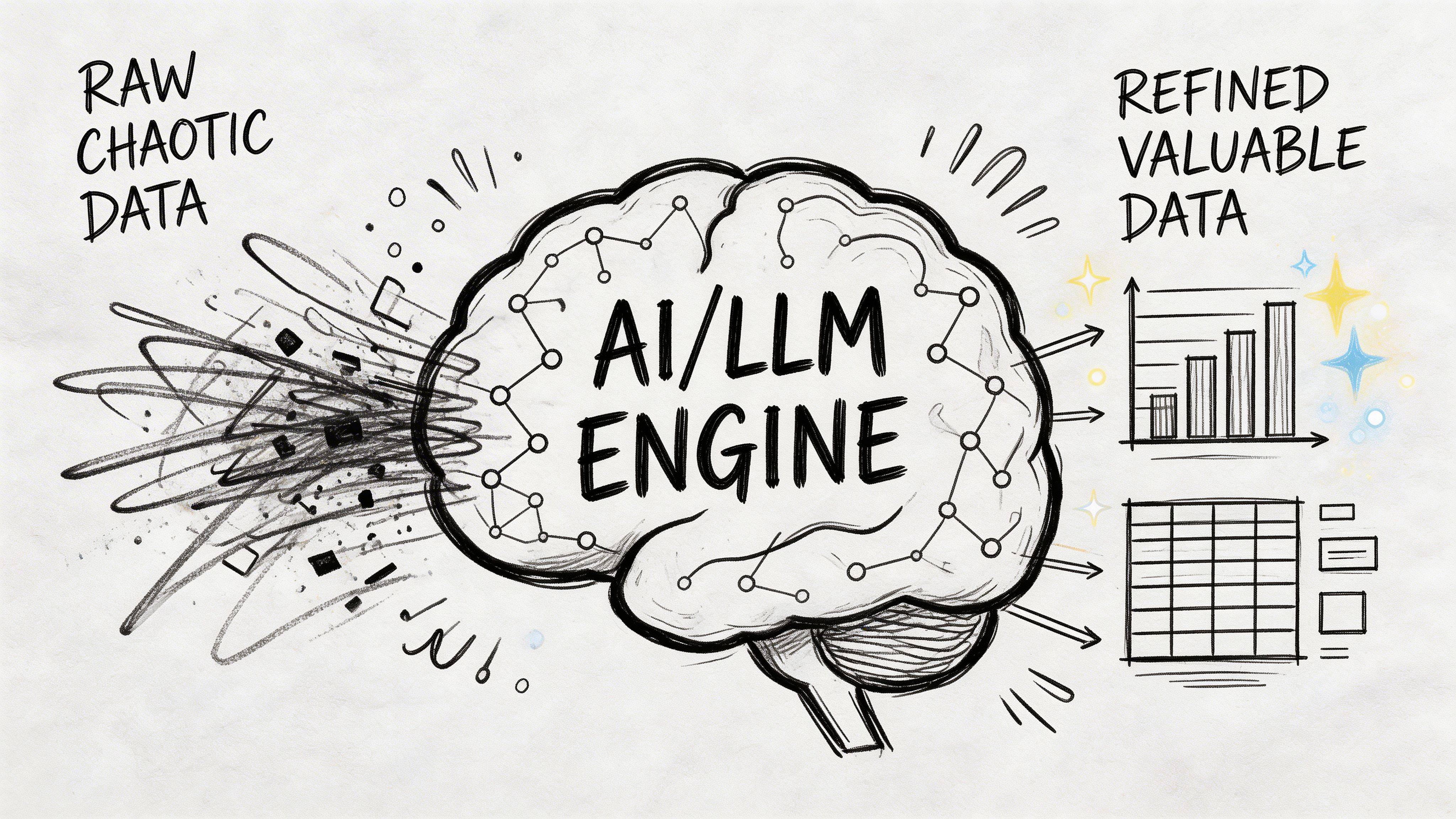
Large Language Models work best when product data is organized, attributed, and governed.
If a source record clearly separates dimensions, materials, intended use, compatibility, safety notes, and brand voice inputs, an LLM can turn that into channel-ready copy much more reliably. If all of that is buried in a messy PDF extract or a free-text notes field, results get unstable fast.
Good enrichment tasks include:
A cloud model delivers value in this scenario. Structured master data gives the LLM better inputs. Workflow and approval rules keep the outputs from going live unchecked.
AI should strengthen known facts, not invent them.
For example, if a manufacturer sheet says a drill has a brushless motor, a certain chuck size, and a battery platform, an LLM can convert those facts into better copy for different channels. It can also suggest missing attribute mappings if your taxonomy is clear. What it should not do is infer safety certifications, compatibility claims, or regulated product details that were never verified.
A practical review flow looks like this:
| AI task | Safe use | Needs tighter review |
|---|---|---|
| Description drafting | Turning approved specs into readable copy | Claims with legal or technical implications |
| Attribute extraction | Pulling fields from supplier docs | Ambiguous source text |
| SEO and GEO refinement | Reformatting approved content for discovery | Any content that changes factual meaning |
| Asset tagging | Suggesting descriptive metadata | Rights, usage limits, or compliance tags |
The fastest way to lose trust in AI enrichment is to let generated content outrun the underlying product truth.
Not every part of your catalog should move or process the same way.
Some migrations push too hard toward full centralization, then discover later that regulated, low-latency, or licensing-heavy data would have been better retained in a hybrid setup. Accenture data shows 15-20% of enterprises reverse full migrations due to unforeseen costs, while retaining sensitive or low-latency assets on-prem can offer 28% better TCO, according to Cogent Info’s discussion of cloud-to-edge and hybrid retention strategy. For PIM and DAM teams dealing with GDPR or CCPA concerns, that’s not abstract.
A sensible AI-era pattern is:
A lot of teams treat Generative Engine Optimization as a copywriting layer. It isn't only that.
GEO depends on the consistency of attributes, taxonomy, product relationships, and supporting media signals. If your migration leaves category logic inconsistent or duplicates core attributes across variants, AI-generated summaries and search interpretations will drift.
The strongest post-migration catalogs usually do three things well:
That turns migrating data to the cloud into more than a hosting decision. It becomes the foundation for better product communication everywhere the catalog shows up.
This is the part where professionalism shows.
Anyone can declare a migration complete when the import finishes. The harder discipline is proving that the new system behaves correctly under real operating conditions, with business users involved, and with a rollback path that doesn't rely on hope.
Treat go-live like a pre-flight check. You are not asking whether the data arrived. You are asking whether teams can safely run the business on it.
Validation has to go deeper than row counts.
For product teams, check that parent-child relationships resolve properly, channel exports produce the expected structure, assets load in the right places, and approvals follow the intended workflow. For DAM, confirm that metadata, renditions, rights fields, and references survived the move.
Business teams should test real tasks:
If your team needs a practical baseline for the discipline involved, this overview of what data validation is is a useful reference because it grounds testing in trust, not just transfer mechanics.
A go-live runbook should be specific enough that multiple teams can follow it under pressure.
Include:
A rollback plan is not pessimism. It's what lets a team move with confidence.
If you can't name the conditions that would force a rollback, you probably aren't ready to cut over.
Not every environment can support advanced deployment models, but the principle is the same. Reduce blast radius.
Some teams can run a blue-green style approach where the new environment is fully prepared and only takes traffic when validation passes. Others need a more manual switchover with a controlled freeze and staged reactivation of integrations. Either way, avoid changing too many variables at once.
Good cutovers usually share a few traits:
The broader business context makes that discipline worth it. The cloud migration market is projected to grow from $232.51 billion in 2024 to $806.41 billion by 2029, at a 28.24% CAGR, and 75% of tech leaders are building all new products and features in the cloud, according to AWS’s view of 2025 as an inflection point for cloud migration. A solid go-live doesn't just complete a project. It places your product operations where future development is already happening.
The first week after launch is still part of the migration.
Keep enhanced monitoring in place. Track import exceptions, sync failures, user-reported issues, and performance hotspots. Hold a short daily review with business and technical owners until the new system settles.
That discipline prevents a common mistake. Teams celebrate cutover, relax too early, and then let small catalog issues spread into channel problems, ERP mismatches, and support tickets.
A controlled landing beats a dramatic launch every time.
The migration project ends. The data work doesn't.
Many teams lose momentum at this point. They spend months planning and moving the catalog, then treat go-live as the finish line. A cloud PIM or DAM only becomes strategic when the organization builds routines around it. Otherwise, the new platform slowly fills with the same inconsistencies and side spreadsheets that caused the migration in the first place.
Governance doesn't have to mean bureaucracy.
It means defining who can create products, who approves enrichment, who owns taxonomy changes, how asset rights are tracked, and what happens when supplier data conflicts with internal standards. Without those decisions, the cloud system becomes a nicer container for unresolved habits.
The practical test is simple. When a new SKU arrives, can the team add it, enrich it, approve it, and publish it without inventing an off-system workaround?
If the answer is no, governance still isn't operational.
Post-migration monitoring should focus on business-critical drift.
That usually includes:
A dedicated cloud data management mindset proves helpful here. A guide like cloud data manager is useful because it frames the role as ongoing stewardship, not just technical administration.
A strong operating rhythm often includes a weekly quality review and a monthly model review. The weekly review catches issues in flow. The monthly review catches structural issues before they spread.
The hardest post-migration challenge is often not inside the PIM or DAM at all. It's the surrounding ecosystem.
Your ERP may still be the commercial source for pricing, inventory references, manufacturer codes, or compliance identifiers. Marketplaces and storefronts may each apply their own validation rules. If sync ownership is fuzzy, teams start hot-fixing problems in the wrong system and create circular confusion.
That’s why I usually push for one rule above all others: master data changes should have a declared system of authority.
If ERP owns commercial identifiers, let it own them. If the PIM owns channel content and product relationships, protect that boundary. If DAM owns approved assets and rendition metadata, don't let storefront teams circumvent the process to replace files.
A cloud catalog becomes durable when every important field has both an owner and a route.
The teams that get long-term value from migrating data to the cloud do a few things consistently:
That last point matters. Post-migration operationalization is what allows AI enrichment, channel expansion, and faster launch cycles to work without degrading trust.
A migration is a one-time event. Operational discipline is the multiplier.
If you're centralizing product data, variants, and media for multi-channel growth, NanoPIM is built for exactly that job. It gives teams a unified PIM and DAM hub, supports safe imports and merges, adds AI-powered enrichment for channel-specific content, and keeps approvals, versioning, and audit trails under control so your cloud migration turns into a cleaner day-to-day operation, not just a completed project.


