

Your team lives in three tabs right now.
One has a supplier spreadsheet with half the columns empty. One has marketplace error messages nobody wants to decode. One has your ecommerce team asking why a launch is still blocked because the color field says “BLK,” “Black,” and “Jet Black” for the same item family.
That is the daily reality behind a lot of catalog operations. Not strategy decks. Not “digital transformation.” Just messy product data slowing down work, creating avoidable returns, and making decent products look weak online.
Ecommerce product data enrichment is how operations teams get out of that cycle. Done well, it turns raw supplier inputs into product pages that are complete, usable, channel-ready, and easier for both shoppers and machines to understand. Done badly, it becomes another content project that burns time and still leaves broken feeds behind.
A marketing manager wants to launch a paid push for a new category on Friday.
By Wednesday, the creative is ready. The budget is approved. Then the product sheet arrives from two suppliers. One file uses centimeters, the other uses inches. One has marketing copy that sounds polished but says nothing useful. The other has technical specs with no shopper-friendly explanation at all.
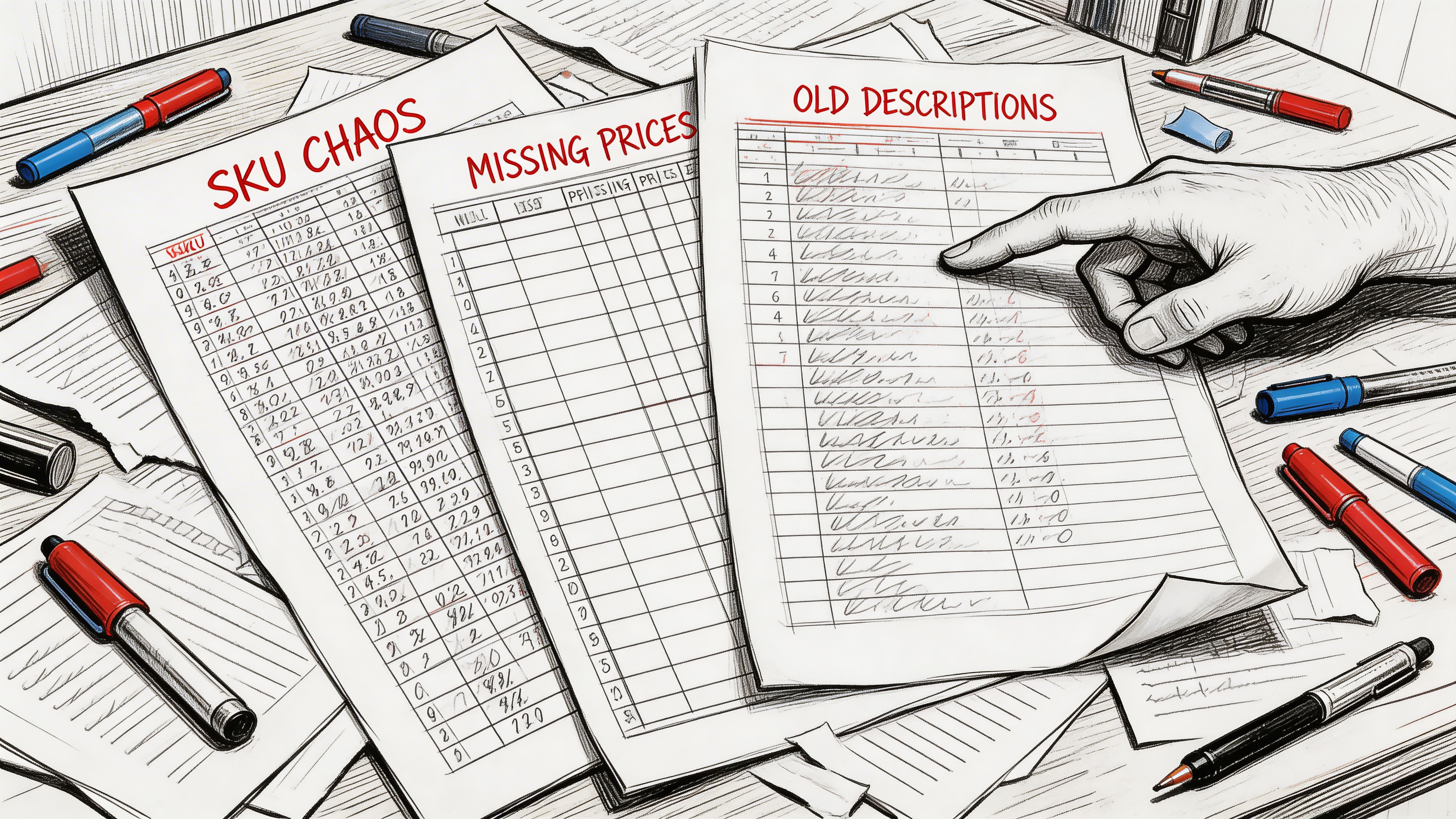
That is where most catalog pain starts. Not with some huge systems failure. With ordinary, repeated friction.
You see it in patterns like these:
The result is simple. Product launches stall, ad campaigns point to weak PDPs, and support teams answer questions the page should have answered first.
Tip: If your team spends launch week fixing titles, dimensions, image links, and variants by hand, you do not have a content problem. You have a product data workflow problem.
The commercial cost is real. Global ecommerce cart abandonment stands at 70.19%, and products with 4+ images convert 58% better than those with one, according to Cropink’s summary of product data enrichment metrics. Shoppers do not abandon because they hate buying. They abandon because the listing makes them unsure.
A lot of teams try to patch this with more spreadsheet tabs or one-off cleanup projects. That usually fails because the same bad inputs keep coming back next week.
What changes things is treating enrichment as an operating process, not a last-minute fix. If your catalog still lives in scattered sheets, this is also where solid product catalog management software starts paying for itself. It gives teams one place to intake, clean, enrich, approve, and publish data before bad records spread downstream.
Product data enrichment is not “adding more words.” It is the work of turning raw product facts into product information that sells, filters, ranks, and syndicates cleanly across channels. The easiest way to think about it is this. A pile of LEGO bricks is not the same as a finished model with instructions, labels, and the right pieces snapped into the right places.
A bare product record starts with a SKU, a vendor name, maybe a title, maybe a UPC, and a few specs.
An enriched product record is structured so different teams and systems can use it. Merchandising can sort it. Search can interpret it. Marketplaces can accept it. Shoppers can trust it.
That usually means adding and organizing several layers.
| Layer | What it includes | Why it matters |
|---|---|---|
| Core identifiers | SKU, GTIN, brand, variant relationships | Prevents duplication and feed rejection |
| Functional attributes | Size, material, dimensions, compatibility, care | Helps filtering, comparison, and returns prevention |
| Commercial content | Clear titles, benefit-driven descriptions, bullets | Helps shoppers understand value fast |
| Media and metadata | Images, videos, alt text, filenames, tags | Improves presentation and discoverability |
| Channel formatting | Marketplace-ready titles, category mapping, required fields | Makes listings publishable where you sell |
A supplier may send enough information to identify a product.
That does not mean they sent enough information to sell it.
For example, “women’s knit top” might be technically true. It is still weak. An enriched record would capture fabric composition, sleeve length, fit, color family, care instructions, neckline, seasonality, image tags, and variant structure. Then it would express those details differently for your site, Amazon, and ad feeds.
Structured data also matters here, beyond classic SEO. Teams working on AI-facing discovery should spend time understanding how to build knowledge graphs and structured entities, because product enrichment increasingly depends on clean entities, consistent attributes, and relationships that machines can parse.
A few things get mislabeled as enrichment when they are not.
Key takeaway: Enrichment works when you improve completeness, consistency, structure, and usability at the same time.
The strongest teams treat product records like reusable assets, not isolated web copy. That mindset changes how you model data, request supplier inputs, attach media, and publish to channels.
Once that clicks, enrichment stops looking like a cleanup chore and starts looking like revenue infrastructure.
Teams approve enrichment when the pain becomes visible.
Returns are climbing. Paid traffic is landing on weak PDPs. Marketplace listings are missing fields. Search visibility is uneven. Merchants want more products live, but operations is stuck fixing avoidable issues one SKU at a time.
The stronger case is to treat enrichment as a direct lever on commercial performance before those problems pile up.
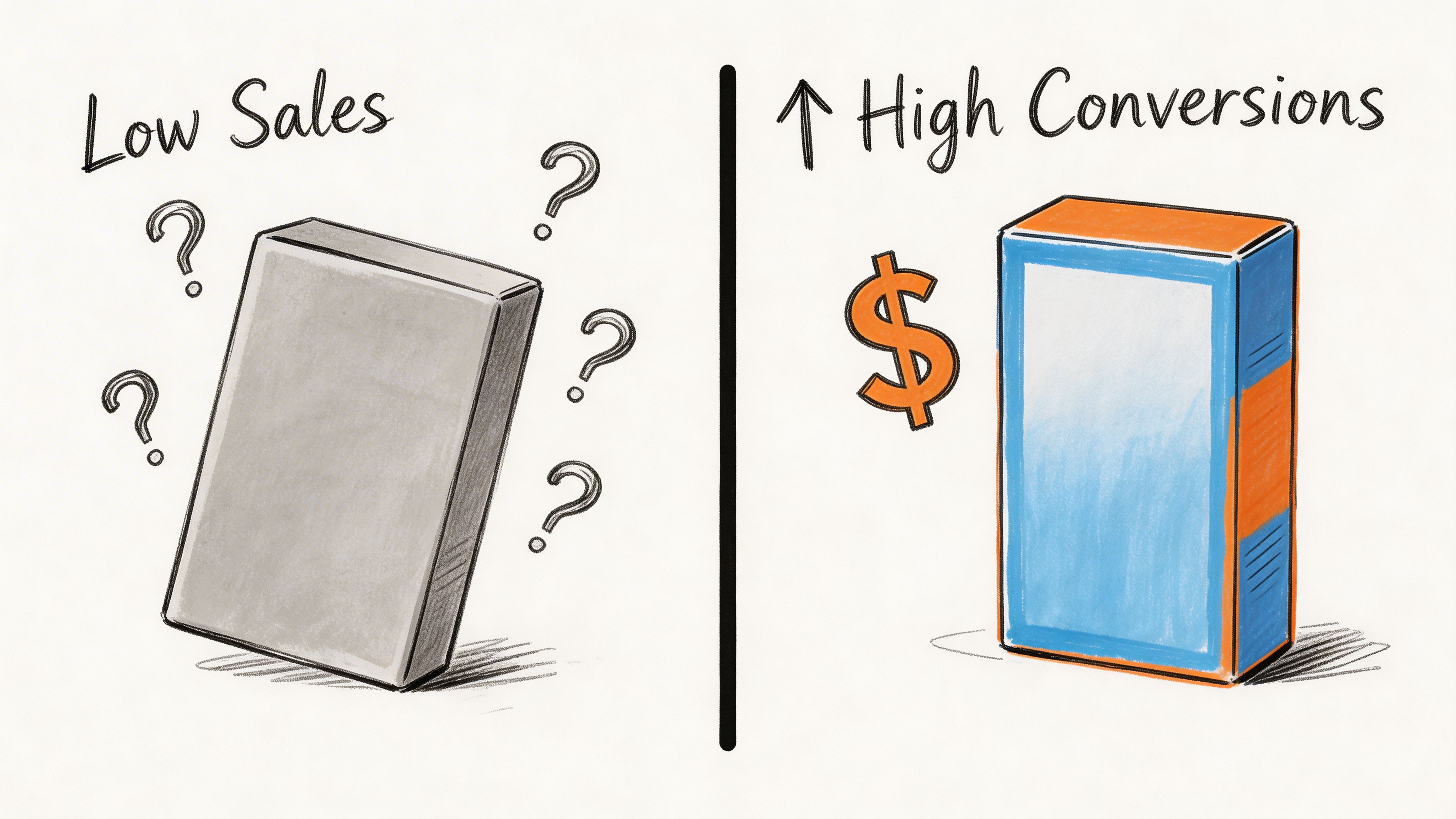
Shoppers do not all need the same amount of information. But they all need enough information to feel safe buying.
That is why 62% of consumers are willing to spend more on products with detailed information, according to Inriver’s write-up citing GS1 US data. Richer listings do not just help conversion. They can support stronger revenue per order because the product feels more credible and complete.
This is one reason enrichment belongs in the same conversation as Ecommerce Conversion Rate Optimization. Conversion work often focuses on layout, checkout flow, and testing. Those matter. But weak product data undercuts all of them.
If you run ecommerce operations, you do not need another abstract promise. You need to know where enrichment shows up on the scoreboard.
It affects these areas first:
A lot of teams only discover the value of enrichment after they review data quality and realize how many downstream issues start from one weak source record.
A few years ago, enrichment was about human shoppers and marketplace rules.
Now it also affects whether AI-driven search, recommendation layers, and shopping assistants can understand your catalog. If your product record is sparse, inconsistent, or poorly structured, machines have less to work with. They struggle to map the product to intent, surface the right variant, or connect it to adjacent products.
This is important as modern discovery is moving toward systems that rely more on structured product understanding and less on loose keyword matching. The product page still matters. But the underlying product record matters just as much.
Some teams try to solve this by writing longer descriptions for everything.
That helps a little, but not enough. Long copy cannot compensate for missing attributes, bad taxonomy, weak media tagging, or broken parent-child variant relationships.
What works better is a balanced enrichment model:
The fastest way to waste enrichment effort is to polish copy before the underlying product structure is trustworthy.
This is why enrichment has become operational, not optional. It affects revenue, returns, feed health, and discoverability all at once. Once teams see it as a system for reducing uncertainty, the business case gets easier to defend.
Most enrichment projects fail because they start in the middle.
Someone jumps straight to writing better titles or asking AI to fill in blanks. But if intake is messy and standards are unclear, those later steps only make the mess look more polished.
The cleanest way to run ecommerce product data enrichment is as a repeatable flow.
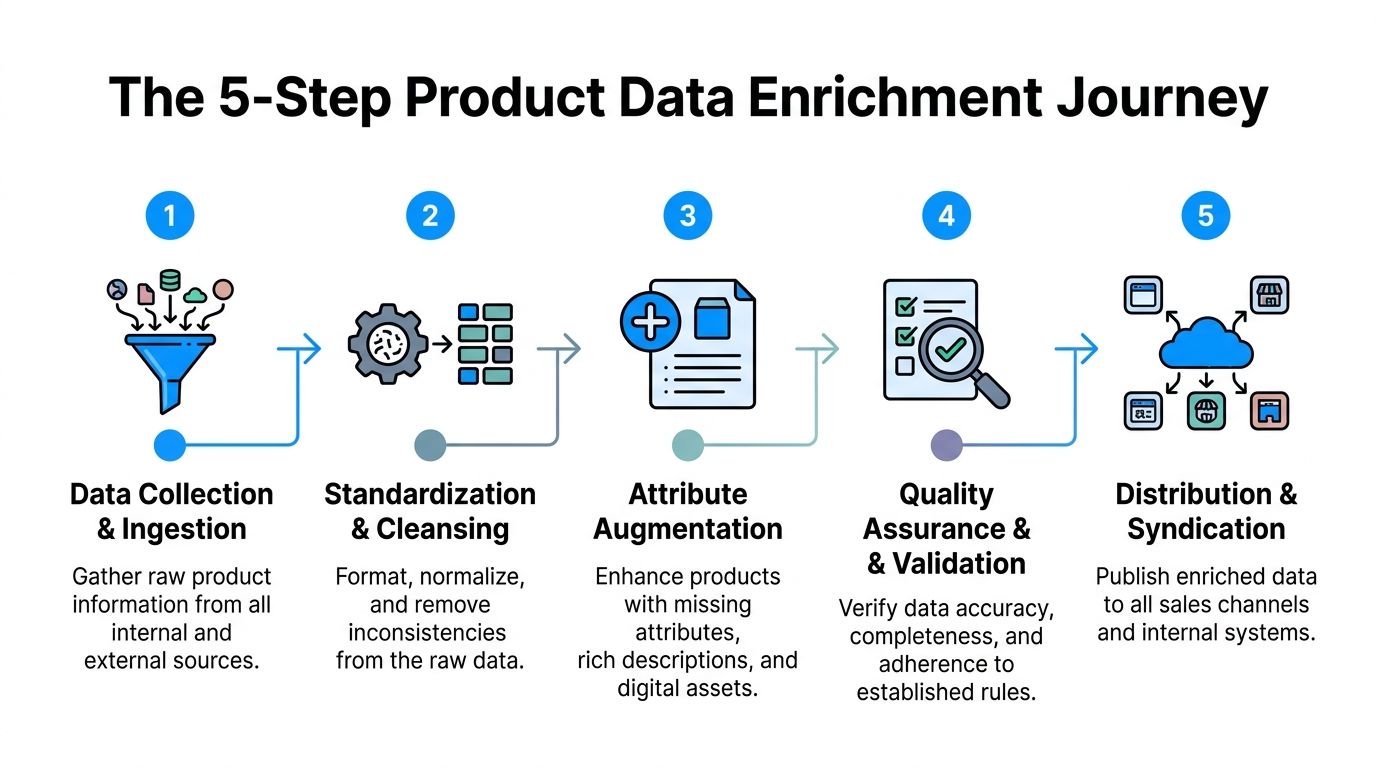
Start by pulling raw product information into one controlled holding area.
That intake should include supplier sheets, ERP exports, manufacturer PDFs, image folders, existing website copy, and marketplace data if it already exists. The point is not to trust all of it. The point is to gather it before anyone edits it in place.
Good teams keep this intake layer separate from publishable records. That is important because you need a space to compare sources, flag conflicts, and decide what wins.
If your process still moves files manually from email attachments into listing templates, it helps to think in terms of a proper data pipeline and ETL flow, not random handoffs between teams.
Once the data is in, clean the syntax before you try to enrich meaning.
At this stage, teams standardize units, casing, abbreviations, color values, category labels, and variant logic. “in,” “inch,” and “inches” need one rule. So do “navy,” “navy blue,” and “midnight navy” if they belong in the same filter bucket.
This stage is boring. It is also where a lot of value gets created.
Without standardization, enriched copy still sits on top of unstable records. Filters break, duplicates multiply, and marketplaces receive inconsistent values.
Now bring in automation.
At this point, AI can help infer missing attributes, draft titles, build bullets, summarize long supplier text, classify products, and create channel-ready copy variations. According to Data4eCom’s overview of AI-driven enrichment, automated product data enrichment can correlate with 20-35% conversion rate increases when it improves shopper confidence.
Use that carefully. AI works best when the product type is well modeled and the source material is decent. It works badly when source records are thin, conflicting, or full of supplier jargon.
A practical rule is simple:
Here is a useful walkthrough before going further.
Many catalogs have images. Fewer have usable media systems.
Media enrichment means linking the right assets to the right SKU or variant, then adding metadata that makes those assets useful downstream. That includes alt text, filenames, shot type, orientation, channel suitability, and if needed, product feature callouts.
A hero image alone rarely does enough heavy lifting. Operations teams should make sure media answers the questions the text cannot answer quickly. Texture, scale, fit, angle, included accessories, and use context all belong here.
Tip: If your image library is “organized” by whatever folder the photographer uploaded last month, asset tagging needs the same discipline as attribute tagging.
Do not publish one generic record everywhere.
Amazon, Google, eBay, your own PDP, print sheets, and distributor feeds all have different needs. A website description can be more narrative. A marketplace title often needs tighter formatting. Ad feeds need concise clarity. Comparison engines care more about structured fields than brand storytelling. At this stage, teams translate one approved master record into multiple outputs.
That might include:
The trouble spots are predictable:
| Failure point | What usually causes it | Better fix |
|---|---|---|
| Attribute gaps | Supplier data is incomplete | Build fallback rules and human review queues |
| Bad AI outputs | Weak prompts or weak source records | Restrict generation until data passes minimum completeness |
| Rejected feeds | Channel rules were not mapped earlier | Define required fields by channel before writing copy |
| Duplicate work | Teams enrich in spreadsheets outside the main flow | Centralize intake, approval, and publication |
The full process is less glamorous than “AI writes your listings.” But it is what holds up when the catalog grows. Tools also differ in this area. Some teams manage with spreadsheets plus scripts for longer than they should. Others use a PIM with review flows and a separate DAM. Some use a workspace such as NanoPIM to centralize product data, variants, media, AI-assisted enrichment, and approval history in one environment with a holding area for safe imports and merges.
A one-time cleanup can make a catalog look better for a month.
Then a new supplier sends another spreadsheet, merchandising adds a category, marketplaces change requirements, and the old problems come right back. That is why enrichment needs an engine behind it, not just effort.
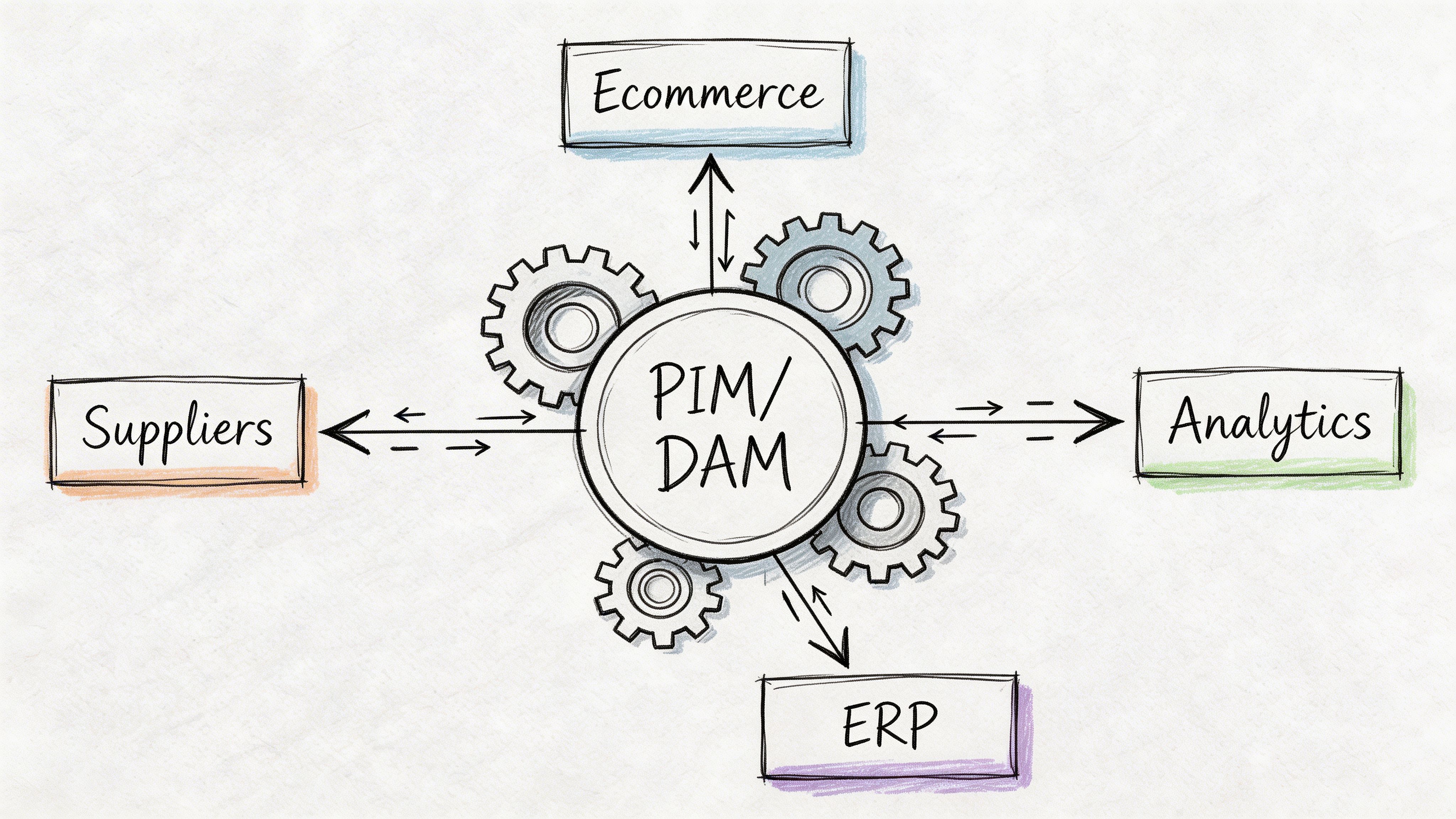
In practice, the engine is usually some combination of PIM, DAM, workflow rules, integration logic, and approval checkpoints.
The PIM holds the product record. The DAM manages product media. Workflow rules control who can edit what, when, and under which conditions. Together, they stop teams from enriching data in five disconnected places and hoping everything lines up later.
This matters even more once AI gets involved. The same tool that can speed up enrichment can also create polished nonsense if nobody validates it.
Operations teams sometimes hear “automation” and imagine zero-touch enrichment.
That sounds efficient until AI invents a material, assigns the wrong size logic, or rewrites a description in a way that breaks compliance or brand standards. Good governance prevents that.
A simple review model works best:
According to Fabric’s discussion of enrichment and integration challenges, 70% of enterprises report data silos as a top PIM barrier, and manual reconciliation of AI-generated data can lead to 25-40% error rates without effective versioning and audit trails. That tracks with what many operators already feel. The hard part is rarely generating more data. It is controlling which version becomes the truth.
A lot of advice stops at “centralize your data.”
That is not enough. A significant challenge involves syncing enriched records back into the systems that still matter, especially ERP, ecommerce platforms, marketplaces, and downstream reporting tools.
Common failure patterns include:
The fix is not to make one system do everything. The fix is to assign clear ownership.
| System type | Best role |
|---|---|
| ERP | Operational source for core commercial and inventory data |
| PIM | Source of truth for product content, attributes, and channel-ready records |
| DAM | Source of truth for images, videos, manuals, and linked media metadata |
| Channel feed layer | Final formatting and syndication to marketplaces and ad platforms |
In this area, tools also differ. Some teams manage with spreadsheets plus scripts for longer than they should. Others use a PIM with review flows and a separate DAM. Some use a workspace such as NanoPIM to centralize product data, variants, media, AI-assisted enrichment, and approval history in one environment with a holding area for safe imports and merges.
The key is not the label on the software. It is whether the workflow supports these basics:
Key takeaway: If your AI enrichment workflow cannot show source data, reviewer status, and change history, it is not production-ready.
Governance is what lets enrichment scale without losing trust. It protects brand consistency, reduces feed errors, and gives operators a defensible process when the catalog gets larger and faster moving.
The biggest mistake is trying to enrich the whole catalog at once.
That creates a giant backlog, too many exceptions, and not enough proof that the effort is working. A smaller, sharper rollout gets farther.
Pick one category or product family where bad data is already hurting performance.
Good pilot categories usually have one or more of these traits:
You can still apply the 80/20 mindset qualitatively. Start with the products that matter most commercially and operationally, not the easiest ones.
Before the pilot starts, agree on what “complete” means.
That definition should include required identifiers, mandatory attributes, media requirements, approved copy fields, and channel-specific outputs. Keep it tight. A vague standard creates vague work.
A practical starter checklist might include:
Teams learn faster when they take a single SKU all the way through.
Here is a simple five-step example for moving one item from a supplier sheet to an Amazon-ready listing:
Import the raw row and assets
Pull in the supplier spreadsheet, image set, and any source PDFs. Keep them untouched in your intake area.
Normalize the record
Clean units, standardize brand naming, fix color values, and map the product into the right taxonomy.
Let AI suggest missing fields
Use automation to identify likely attributes from the raw catalog and supplier materials. This is important as Constructor notes that AI can reduce manual attribute mapping errors by up to 80%.
Review and strengthen for channel fit
Validate inferred fields, write or approve bullets, attach the right images, and make sure variant logic holds up.
Publish only when the SKU clears your threshold
For marketplace readiness, depth matters. The same Constructor page notes benchmark data showing AI-driven feeds increase Amazon A9 visibility by 30% when attributes exceed 50 per SKU.
Do not just ask whether the product page “looks better.”
Track the practical things your team can act on:
Here, your pilot earns trust internally. If the workflow reduces rework, shortens launch prep, or improves listing quality, the next phase gets easier to fund and staff.
Once the first pilot works, expand to adjacent categories with similar data structures.
Do not jump from a simple hardgoods category into a highly variable apparel range without adjusting your attribute model, review logic, and media rules. Scale in waves. Reuse standards where possible. Add exceptions only when the category needs them.
The goal is not to enrich everything instantly.
The goal is to build a process your team can repeat without burning out.
Most ecommerce teams do not need more hustle. They need better control over product information.
When enrichment is treated as a real operating system, the work changes. Teams stop spending their days chasing missing fields, fixing marketplace errors, and rewriting the same broken listing three times. They start building a catalog that supports revenue, reduces confusion, and holds up across channels.
That shift matters for the people doing the work too. Product operations stops looking like cleanup labor and starts looking like a growth function. Better records support better launches, stronger discoverability, cleaner feeds, and more confident buying decisions.
In 2026, that is not a nice extra. It is part of how modern commerce runs.
If you want a practical way to run this workflow, NanoPIM gives ecommerce teams a central place to manage product data, media, AI-assisted enrichment, approvals, and channel-ready publishing without relying on scattered spreadsheets and last-minute fixes.


