

When you hear the term data pipeline ETL, it might sound super technical, but the idea is actually pretty simple. It stands for Extract, Transform, and Load, a three-step process for moving data from point A to point B, making it better along the way.
Think of it as the professional prep kitchen for your company's information. You gather raw ingredients (data), clean and prepare them, and then deliver a finished dish ready for its final destination.

Every eCommerce business is swimming in data. Product specs live in supplier spreadsheets, inventory counts are tucked away in an ERP, and customer orders are flowing through your website. A data pipeline is simply the plumbing that automates the movement of all this information.
An ETL process is a specific, and very common, type of data pipeline. It doesn’t just move data from one place to another; it refines and improves it during the journey. This is the key difference that turns messy, raw information into a priceless asset for your business.
Let's walk through each step with a real-world retail example. Say you're launching a new line of shirts in your online store.
Extract: First, your pipeline needs to gather all the raw product data. It might pull basic specs from a supplier's CSV file, grab lifestyle photos from a shared drive, and fetch pricing details from your company's internal system. All the "ingredients" are collected.
Transform: This is where the real work happens. The pipeline takes all that scattered, inconsistent data and gets it into shape. It could mean converting all measurements to inches, resizing every image to match your website's template, or making sure all color names follow a standard format (like "Navy Blue" instead of "navy" or "dk blue").
Load: Finally, the clean, standardized, and ready-to-use data is loaded into its destination system. For product information, this is usually a Product Information Management (PIM) system, your eCommerce platform, or a data warehouse for business intelligence.
This structured workflow transforms data chaos into a reliable, automated system that just works. It's no wonder the market for ETL tools is projected to explode from $7.63 billion in 2026 to an estimated $29.04 billion by 2029. That’s a clear signal of how essential these processes have become.
Without a solid ETL process, you're stuck with endless manual data entry and costly errors. Inaccurate product details directly lead to frustrated customers, lost sales, and a tarnished brand reputation. Nobody wants that.
A well-designed pipeline automates this whole workflow. It ensures the product information your customers see is always accurate, complete, and consistent, no matter which channel they're shopping on.
The core purpose of a data pipeline is to make data useful. An ETL process is the engine that refines raw information, turning it from a liability that requires manual cleanup into an asset that drives business decisions and sales.
Understanding the broader concept of system integration helps put this into perspective, showing how these pipelines connect otherwise separate systems into a cohesive whole. In the end, a strong data pipeline is the foundation for creating a single source of truth for all your product information, and that’s the secret to scaling an eCommerce business efficiently.
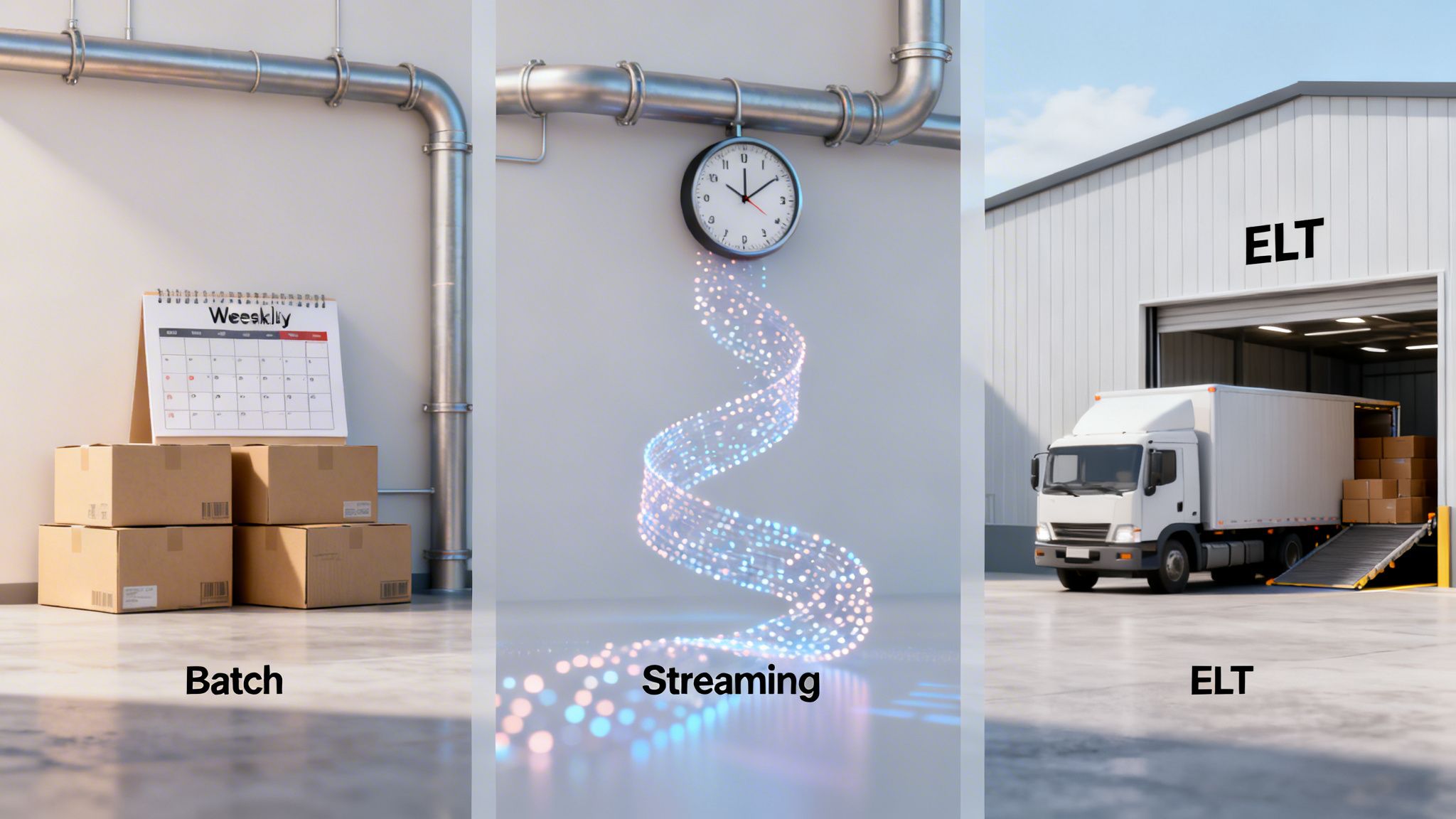
Now that we've covered the what and why of data pipelines, let's get into the how. Building a pipeline isn’t a one-size-fits-all job. The right architecture depends entirely on what kind of data you're moving, how fast you need it, and what you plan to do with it once it arrives.
Think of it like choosing a shipping method. Are you sending a few critical packages for next-day delivery, or are you moving an entire warehouse of inventory via freight train? Each has its place.
We're going to look at the three most common patterns you'll run into: batch processing, streaming, and the increasingly popular ELT model. Getting a handle on these is the key to building a data system that actually works for your business.
Batch processing is the original workhorse of the data world. It’s a tried-and-true method that’s all about moving large volumes of data on a set schedule.
The concept is simple: you collect data over a period, say, an hour or a full day, and then process it all at once in a single, large "batch." Think of it as closing out the cash register and running the numbers at the end of a business day.
This approach is perfect for tasks that aren’t time-sensitive but involve massive amounts of information. For example, you might run a nightly batch job to pull all of the day's sales from your stores, transform the data into a standard report format, and load it into your analytics platform.
Because it handles bulk data so efficiently, it’s often the most cost-effective option. The trade-off? Latency. The data is only as fresh as your last batch run.
If batch processing is the end-of-day report, streaming is the live security camera. Streaming pipelines process data event-by-event, in near real-time, as it’s created.
This is the architecture you need when seconds matter. Imagine an online shopper adds the last-in-stock item to their cart. A streaming pipeline can instantly trigger an inventory update across your website, marketplace listings, and internal systems to prevent someone else from buying it.
Streaming data architecture is essential for modern eCommerce. It powers everything from live inventory tracking and real-time fraud detection to personalized product recommendations that react instantly to a shopper's clicks.
With streaming, there’s almost no delay between an event happening and the data being ready for action. This allows your business to be incredibly responsive.
A newer pattern has been gaining a lot of ground, flipping the traditional ETL model on its head. Meet ELT, which stands for Extract, Load, Transform. The difference is all in that final step.
In an ELT model, you still extract data from your sources, but you immediately load the raw, untouched data directly into a powerful destination like a cloud data warehouse (Snowflake, BigQuery, or Redshift). The transformation happens after the data is already in the warehouse, using its massive computing power.
This is like having all your raw ingredients delivered to a professional kitchen first. Once they're there, your chefs (data analysts) can prep and combine them in endless ways to create different dishes (reports and analyses) on the fly.
This approach gives you incredible flexibility. Your teams can work with the raw data and transform it for various needs without ever having to rebuild the core ingestion pipeline. It’s a perfect match for the powerful cloud platforms and agile analytics needs of today.
To make it even clearer, let's break down how these three patterns stack up against each other. Each has its own strengths, and the best choice often depends on your specific goals for the data you're moving.
Ultimately, many modern systems use a hybrid approach. You might use batch processing for financial reporting, while a streaming pipeline handles your live product inventory. Understanding the core principles of each helps you make the right call for every piece of your data puzzle.
So you've picked your data pipeline architecture. That's a great first step, but for product information, the real work is just beginning. Without a smart process, your shiny new pipeline can quickly become a source of chaos, creating more problems than it solves.
Let's walk through the core best practices for building an ETL process that actually works. One that prevents errors, cuts down on manual cleanup, and can grow right alongside your business.
This isn't a niche problem. The market for data pipeline tools was a $6.9 billion industry in 2022, and it's on track to grow by 20.3% every year through 2027. eCommerce is a huge driver, but with that growth comes serious risk. A single bad pipeline update can disrupt up to 30% of a company's operations with data quality nightmares and downtime.
Following a few key principles from the get-go will help you sidestep those pitfalls and build a pipeline you can count on.
Before you even think about pulling a single piece of data, you need a blueprint. Your data model is the plan for how all your product information will be structured inside your Product Information Management (PIM) system. It defines every attribute, like color, size, and material, and how they all relate to one another.
Think of it like designing the shelving in a warehouse before the trucks arrive. If your shelves are logically organized and clearly labeled, stocking items is quick and efficient. If not, you’re left with a disorganized mess where nothing can ever be found.
A flexible data model is not just a technical detail, it's a business strategy. It allows your catalog to adapt to new products, new channels, and new customer demands without requiring a complete overhaul of your systems.
By designing your model first, you ensure that every piece of incoming data has a specific, logical home. This is the foundation for an effective data pipeline and a crucial part of product data harmonization.
The "Transform" stage is where the magic happens. This is your chance to clean, standardize, and enrich all the raw data you’ve extracted from your different sources. Getting data quality right at this stage is absolutely non-negotiable.
This means taking a few critical actions:
This flow chart breaks down how to put these practices into action.
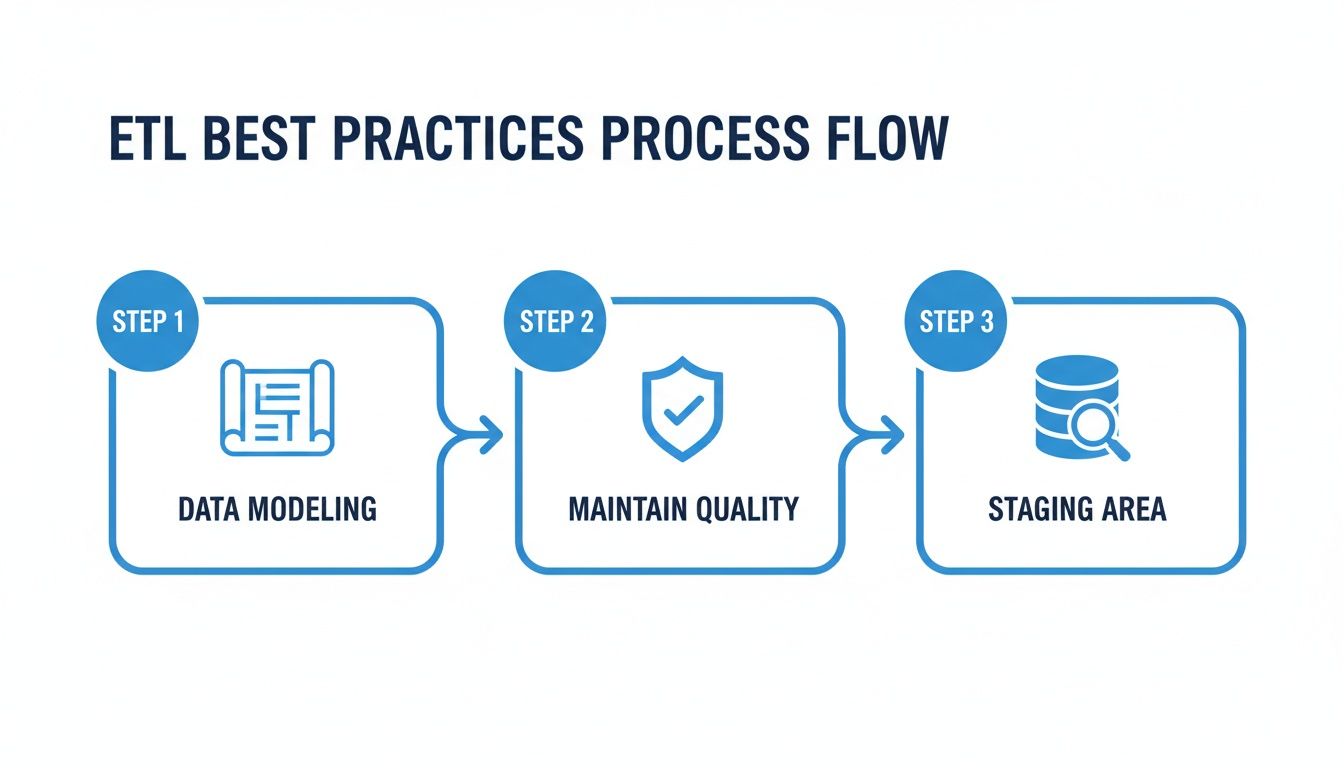
The process moves from initial planning with data modeling to hands-on accuracy checks and a final review in a dedicated staging area.
So where do you perform all this transformation and validation? Never in your live system. The best practice is to use a staging area. This is a temporary database or storage location where data is held after extraction but before it gets loaded into its final destination.
Think of it as a quality control checkpoint on an assembly line. You pull the raw materials (your data) and send them to a separate inspection area. Here, you can clean, validate, and assemble everything without disrupting the main production floor (your live PIM or eCommerce site).
A staging area gives you a safe sandbox to:
Only after the data has been fully vetted and approved does it get the green light to move from staging into your PIM or other systems. This checkpoint is your single best defense against bad data polluting your product catalog and causing chaos downstream.
Knowing the theory behind data pipelines is great, but getting one to actually work means picking the right tools. Assembling your "tool stack" is a lot like outfitting a workshop. You need specific tools for specific jobs, and they all have to work together smoothly to create a finished product.
The "modern data stack" isn't a single piece of software. It’s a collection of specialized tools, each a master of one part of the data pipeline etl process. You might have one tool for pulling data in, another for cleaning it up, and a third for creating reports. The real magic is making them all talk to each other seamlessly.
This whole field is exploding because it reflects a fundamental shift in how businesses run. The market for data pipeline tools is projected to swell from $12.53 billion in 2025 to $15.14 billion in 2026. This isn't just hype; it's driven by companies desperate for a single, unified view of their data, with cloud adoption and the demand for real-time insights fanning the flames. For digital agencies juggling multiple client catalogs, automated governance isn't a luxury, it can slash data errors by up to 40%.
Let's walk through the kinds of tools you'll need at each stage of a modern product data pipeline. Think of it as a three-part journey: getting data in, making it perfect, and sending it out.
Ingestion and Loading Tools: These are the front doors to your pipeline. Their only job is to grab data from all your different sources, like ERPs, supplier spreadsheets, and databases. Tools like Fivetran or Stitch are built for this, offering pre-built connectors that make the "Extract" part of ETL a breeze.
Transformation and Warehousing Tools: Once the raw data is inside, it's time to clean it, shape it, and store it. This is where a data warehouse like Snowflake or BigQuery provides the raw horsepower for heavy-duty transformations. You'll often see a tool like dbt (Data Build Tool) layered on top, which lets your team manage the "Transform" logic like software engineers, writing, testing, and deploying their work as code.
Business Intelligence (BI) and Analytics Tools: After all that work, you need to actually see the results. BI tools like Tableau or Power BI plug into your data warehouse and let you build dashboards, run reports, and uncover the insights that actually drive business decisions.
This "best-of-breed" approach lets you pick the absolute best tool for each job, creating a system that's both powerful and incredibly flexible.
So, where does a specialized platform like a Product Information Management (PIM) system fit in? A modern PIM like NanoPIM isn't just another box to store data. It becomes the command center for your entire product content workflow, playing a key role in every single stage. It’s both a destination and a source within your pipeline.
Let's see what that actually looks like.
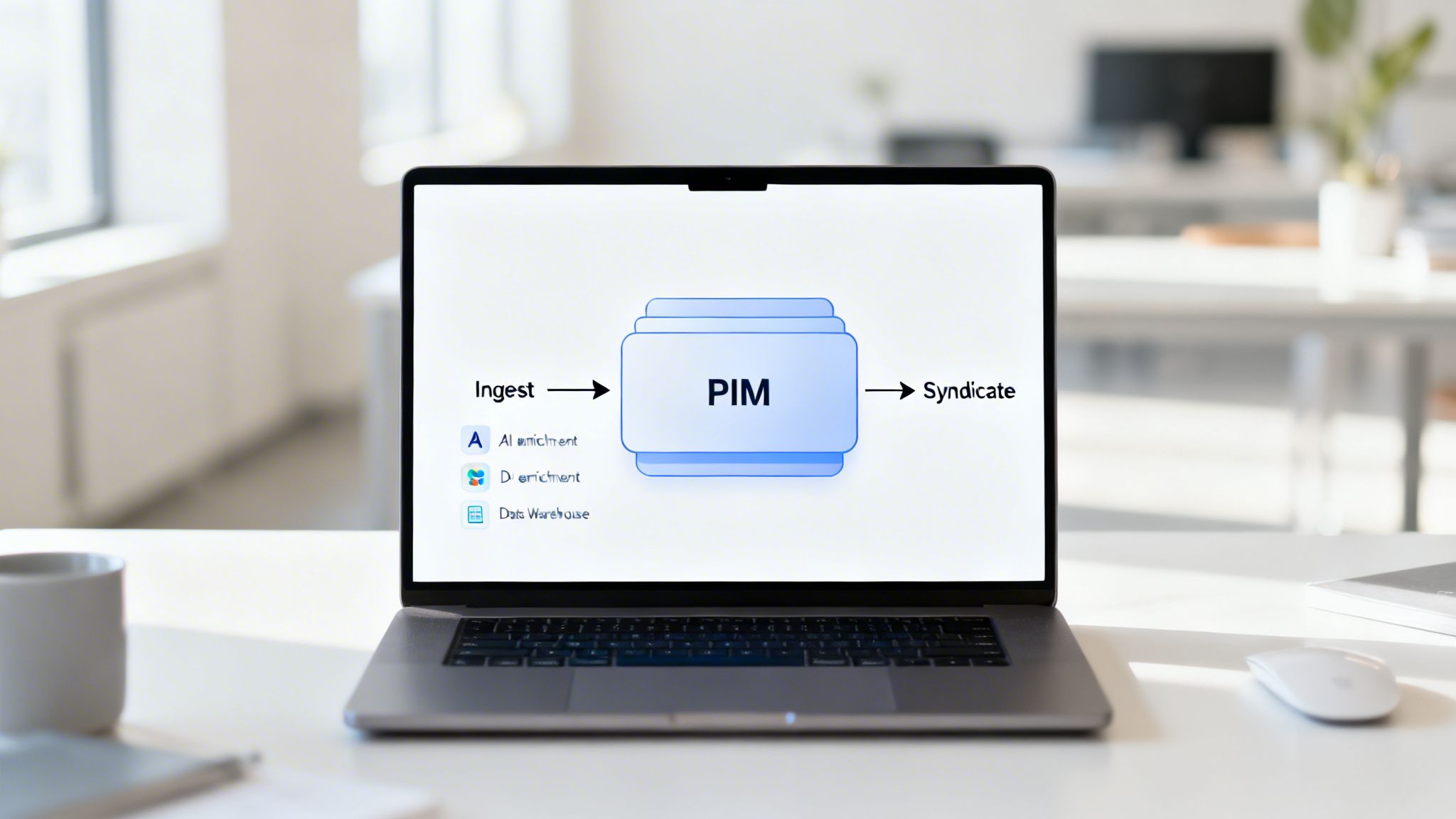
A PIM system elevates a standard data pipeline by creating a dedicated command center for product information. It’s where raw data becomes customer-ready content, centralizing the most critical transformation and enrichment work before syndication.
Simply put, a PIM turns your data pipeline etl from a technical data-moving exercise into a value-creating content engine. To really get how a PIM builds this central source of truth, check out our guide on the fundamentals of Product Information Management.
Picture a common retail scenario:
Ingest and Load: Your pipeline kicks off. An ingestion tool automatically pulls raw product data from a supplier's messy spreadsheet and grabs the latest inventory numbers from your ERP. All of this raw, inconsistent data gets loaded directly into the PIM's dedicated "Data Holding Bay," which acts as a safe staging area.
Transform and Enrich: This is where the magic happens, inside the PIM. Your team can standardize attributes, clean up weird formatting, and validate every piece of information. But you can go further, using built-in AI to automatically generate compelling marketing descriptions or SEO-friendly titles from just a few basic specs. This is where data truly becomes content.
Syndicate: Once the product data is complete, accurate, and enriched, the PIM becomes the source for the final leg of the journey. It syndicates the perfected, channel-ready content out to all your endpoints, like your website, mobile app, and various online marketplaces, all with a single click.
As you build out your stack, remember that a solid CI/CD pipeline is essential for automating the testing and deployment of your data jobs. This ensures your pipeline code is reliable and that you can make updates quickly without breaking anything.
Getting your data pipeline etl process built is a huge win, but don’t pop the champagne just yet. The real work is just beginning. A pipeline isn't a "set it and forget it" machine; it's a living system that needs care and attention to deliver real, lasting value.
Think of it like a high-performance car. You wouldn't just buy it and drive it into the ground without ever checking the oil or rotating the tires. That ongoing maintenance is what keeps it running reliably and prevents a tiny hiccup from becoming a full-blown breakdown on the side of the road.
First thing's first: you need to monitor your pipeline. This means keeping a constant watch on its health and performance so you can spot trouble long before it impacts your business. Trust me, you don't want to find out about incorrect product listings from an angry customer.
Effective monitoring boils down to tracking a few key metrics:
The best way to do this is with dashboards and alerts. A good monitoring setup gives you a single pane of glass to see your pipeline’s health and will automatically ping you the second a metric goes off the rails.
A pipeline failure can cause significant delays in data availability, which can impact decision making. When a pipeline breaks, it can take hours to fix, during which critical business decisions might be made with outdated information.
This proactive approach puts you in the driver's seat. You’re the first to know about a problem, giving you time to fix it before it causes real damage, like selling out-of-stock products or showing customers the wrong price.
While monitoring tells you if the pipeline is running, testing tells you if it's doing the right thing. The whole point of testing is to validate the data itself, stopping bad information from ever making its way into your PIM or eCommerce platform.
You can think of it as automated quality control. You’re essentially setting up digital checkpoints to test your data against your business rules.
A solid testing strategy for any data pipeline etl process should include:
These tests should run automatically every single time your pipeline executes. If a test fails, the pipeline should either quarantine the bad data or flag it for someone to review manually.
Finally, you have to treat the data flowing through your pipeline like the valuable asset it is. Security isn't just for your live databases; it applies to every single step of your pipeline where data is stored or moved.
This comes down to a few key practices to lock everything down. First is implementing strong access controls. Not everyone in your company needs to see or edit every piece of data. Using role-based permissions ensures people can only access the information they actually need for their job.
Next up is encryption. Your data should be encrypted both at rest (when it's sitting in a staging area or data warehouse) and in transit (as it moves between systems). This is non-negotiable for protecting sensitive business information from prying eyes. A strong set of rules is vital, and you can learn more about how to set these up by exploring sound data governance policies.
By combining monitoring, testing, and security, you create a data foundation that’s not just powerful, but truly reliable and trustworthy.
When you first start building data pipelines, the same questions always seem to come up. Getting your data pipeline etl process right can feel like a huge task, but most of the challenges are pretty universal. We've gathered the most common ones here to give you quick, no-nonsense answers.
Think of this as your field guide for the usual hurdles and head-scratchers. We’ll cut through the noise on tools, risks, and the key differences between the acronyms you hear all the time.
The biggest difference between ETL and ELT is all about timing. It boils down to one simple question: when do you transform the data?
ETL stands for Extract, Transform, and Load. In this traditional model, data gets cleaned up and put into the right format before it’s moved to its final destination, like a data warehouse or PIM. Think of it like a chef prepping every ingredient in the kitchen before it ever touches a plate. This method is perfect when you have strict data rules and need everything to be flawless on arrival.
ELT, on the other hand, is for Extract, Load, and Transform. This newer approach flips the script. You pull the raw data and immediately load it into a powerful system, like a cloud data warehouse. All the transformation happens afterward, using the massive computing power of the warehouse itself. It’s like getting your groceries delivered and then deciding what meals to cook on the fly with your high-tech kitchen gadgets.
ELT offers incredible flexibility. By loading raw data first, your team can experiment with different transformations without ever having to rebuild the initial pipeline. This is a huge reason why it’s become the go-to for modern, agile teams.
Yes, you absolutely can. Lots of businesses start small. They use spreadsheets, manual CSV uploads, and a few simple scripts to get data from point A to point B. If you have a small product catalog and only a couple of data sources, this can work just fine for a while.
But that manual approach has a shelf life. As your business grows, so does your data’s complexity. What used to be a quick weekly task soon becomes a daily headache, riddled with human error and time-sucking fixes.
This is where investing in proper tools for your data pipeline etl and product information management really pays off. These platforms automate the messy work, keep your data accurate, and free up your team to focus on growing the business instead of fixing typos. And with many modern tools offering flexible pricing, they're more accessible than you might think.
A Product Information Management (PIM) system is the command center for a modern product data pipeline. It acts as both a destination and a source. It’s the central hub where all your product information lives and gets perfected.
Here’s a typical flow:
Once inside the PIM, this data becomes your single source of truth. The PIM can then run its own powerful transformations, like using AI to turn basic specs into compelling marketing copy. From there, the PIM acts as the source for a new pipeline, syndicating that perfect, channel-ready data out to your website, Amazon store, and other sales channels.
The biggest risks of a poorly managed data pipeline etl process are simple: you lose money and damage your brand. When your data is unreliable, the consequences ripple across the entire business.
A faulty pipeline leads to embarrassing and expensive mistakes.
Beyond the customer-facing problems, a bad ETL process creates a massive hidden workload. Your team ends up spending their days patching up spreadsheets instead of working on tasks that actually move the needle. A broken pipeline costs you sales, efficiency, and customer loyalty.
Ready to build a data pipeline with a powerful command center at its core? NanoPIM centralizes your product data and uses AI to transform raw specs into perfect, channel-ready content, automating enrichment and ensuring consistency everywhere you sell. Learn more about NanoPIM and see how it works.


