

A product data sheet is the single source of truth for every single thing you sell. Think of it as the master file, the one place that holds all the technical specs, marketing copy, logistics info, and media for a specific item.
When product information is scattered across spreadsheets, stray emails, and who knows what folder, you've got a recipe for chaos. This isn't just an internal headache; it's a problem that directly hurts your customer experience and, ultimately, your bottom line.
Inconsistent or missing data creates confusing product listings. That confusion kills customer trust and sends your return rates through the roof.
Picture this: a customer buys a new desk, but the dimensions listed on your site were pulled from an old, outdated spreadsheet. It arrives, it doesn't fit, and now you’re dealing with an angry customer, a costly return, and a one star review. This entire mess could have been avoided with one accurate, centralized product data sheet.
A well built product data sheet is the command center for your entire product story. It’s how you guarantee that every team, from marketing and sales to the folks in customer support, is working from the same script.
This kind of consistency is make or break for any omnichannel brand. When you're pushing products to your website, Amazon, Google Shopping, and maybe even physical stores, a single source of truth is your only defense against bad data multiplying everywhere. It's a big deal, considering research shows 87% of consumers are unlikely to buy again from a brand that provides inaccurate product information.
A product data sheet is more than just a file; it's a strategic asset. It ensures every customer touchpoint, from a social media ad to the final product page, is consistent, accurate, and compelling.
Getting this foundation right changes everything. Your team stops wasting time hunting for the right photo or confirming a product weight and starts focusing on work that actually grows the business.
So, what exactly needs to go into this all important document? A truly comprehensive data sheet brings together all the different pieces that, together, tell the complete story of your product. It goes way beyond a simple spec sheet.
Here are the key elements every robust sheet should contain:
By pulling all these components into one place, you build a powerful, efficient system. This approach finally ends the exhausting cycle of finding and fixing errors on a dozen different platforms. It makes sure your product information is always accurate and ready for any channel. If you want to see how top brands are managing this, you can explore other guides on modern https://nanopim.com/blog-categories/e-commerce strategies.

Starting a master product data sheet from scratch feels daunting. I get it. The key is to stop thinking of it as just another spreadsheet and start seeing it as the architectural blueprint for your entire catalog.
This isn't just about listing specs. It's about building a single, flexible prototype that can handle every single product you sell, whether it's a basic t-shirt or a complex piece of consumer electronics.
The real goal here is standardization. When every product follows the same structural rules, you systematically eliminate the inconsistencies that cause data chaos, customer confusion, and lost sales down the line. A solid template is your single source of truth.
Don't just take my word for it. The global product analytics market, which is all about wrangling this exact kind of data, shot up from $9.6 billion in 2021 to a projected $25.3 billion by 2026. That explosion tells you everything you need to know about how critical clean, structured product data has become.
Every template has to start with the absolute non negotiables: the unique identifiers. These are the product's fingerprints, making sure everyone from your warehouse team to Amazon's backend is talking about the exact same item. Skip this, and you're practically inviting inventory nightmares.
Make sure your template has dedicated fields for these big three:
Nailing these identifiers is step one. Get them right, and you’ve built a solid foundation.
With the identifiers locked down, it's time for the descriptive details. This is where you translate raw data into the information customers actually use to make a decision.
Put yourself in their shoes. Someone shopping for a backpack wants to know the dimensions (will my laptop fit?), the material (is it waterproof?), and the weight (will this kill my back?). Your data sheet has to answer these questions before they're even asked.
A great product data sheet template anticipates customer questions and provides the answers upfront. It separates the "need-to-know" technical specs from the "nice-to-know" marketing features, organizing them logically for both internal teams and external systems.
For a deeper dive into structuring this information, this guide on building a product specification sheet template is a fantastic resource. It really helps you think through how to present specs clearly.
The final layer is where you turn dry facts into a reason to buy. This is your marketing content, and your template needs a home for every piece of it so you can easily pull it for any channel.
This layer should include fields for:
Just as critical is connecting your media. Your template shouldn't just say "photos exist." It needs to link directly to your Digital Asset Management (DAM) system. This means a field for image URLs, video links, and PDFs like manuals or sizing charts.
By integrating your DAM, you ensure every channel automatically pulls the latest, approved media. No more outdated photos on eBay or wrong videos on your website. Everything stays perfectly in sync.
A template filled with raw data is a start, but it’s not going to sell anything. The real work begins with enrichment: transforming those dry, technical specs into compelling content that actually convinces someone to click "buy."
This is the step where your product data sheet stops being an internal document and becomes a powerful sales tool. It's about more than just a quick spell check. You're turning jargon into tangible benefits and basic facts into a story. For instance, "polycarbonate shell" doesn't mean much to the average shopper. But "a lightweight, shatter resistant case that protects your gear on the go"? Now you’re talking.
Let's be real: manually writing unique, engaging descriptions for hundreds, or thousands, of products is a nightmare. It’s a monumental task that few teams have the bandwidth for. This is exactly where tools like AI and Large Language Models (LLMs) have become absolute game changers.
Instead of writing every description from scratch, you can feed an AI the core specs and let it generate multiple versions of product copy instantly. You can ask for a professional tone for your B2B clients or a fun, casual voice for a social media campaign. It’s like having an army of copywriters on standby, ready to create channel specific content at scale.
For example, give an AI the basics for a new hiking boot:
Within seconds, it can spit out something compelling: "Conquer any trail with confidence. Our latest hiking boot features a waterproof Gore-Tex membrane to keep your feet dry and a rugged Vibram outsole for unmatched grip, all while the integrated ankle support system protects you on uneven terrain."
Creating fantastic content is only half the battle. If your underlying data is wrong, even the most persuasive description is completely useless. That’s why data validation is a non negotiable part of managing your product data sheet.
Think of validation as your final quality control checkpoint. It's how you ensure every piece of information is accurate, complete, and consistent before it ever gets in front of a customer. Skip this step, and you’re risking listings with missing dimensions, incorrect prices, or mismatched images, all of which destroy customer trust and lead to costly returns.
Data validation is the final proofread before you go to print. It’s the essential, human-led process that catches the errors automated systems might miss, safeguarding your brand's reputation and bottom line.
The first layer of defense is setting up automated completeness checks. This is where you establish rules within your system to ensure no product goes live without all its mandatory fields filled out.
Your system should be able to flag any product missing critical information, stopping incomplete listings in their tracks.
Automation is powerful, but it can’t catch everything. A human review is still essential for verifying the nuances that software can't, like brand voice, factual accuracy, and overall quality. We call this a "human in the loop" workflow.
You can streamline this by using intelligent document processing software to automate the initial data extraction, which frees up your team to focus on these more critical validation tasks.
Your human review checklist should cover a few key points:
By combining automated checks with a thoughtful human review, you build a rock solid system. This dual approach guarantees that every product data sheet you publish is not just complete, but also accurate, compelling, and perfectly aligned with your brand.
Once your master product data sheet is clean, complete, and validated, it's time to send that information out into the world. But here’s the reality of modern commerce: one size fits all is a recipe for failure.
Each sales channel, from marketplaces like Amazon to platforms like Google Shopping, has its own unique rulebook.
Trying to use the exact same data everywhere is like trying to use the same key for different locks. It just won't work. The title that performs brilliantly on your website might be too long for Amazon’s requirements, and the attributes eBay demands might not even exist in your Shopify setup.
This is where channel mapping comes in. It’s the critical step of tailoring your master data for each specific destination, ensuring your listings aren't just present but are perfectly optimized to perform on every platform where you sell.
The basic flow for getting your information ready looks something like this:
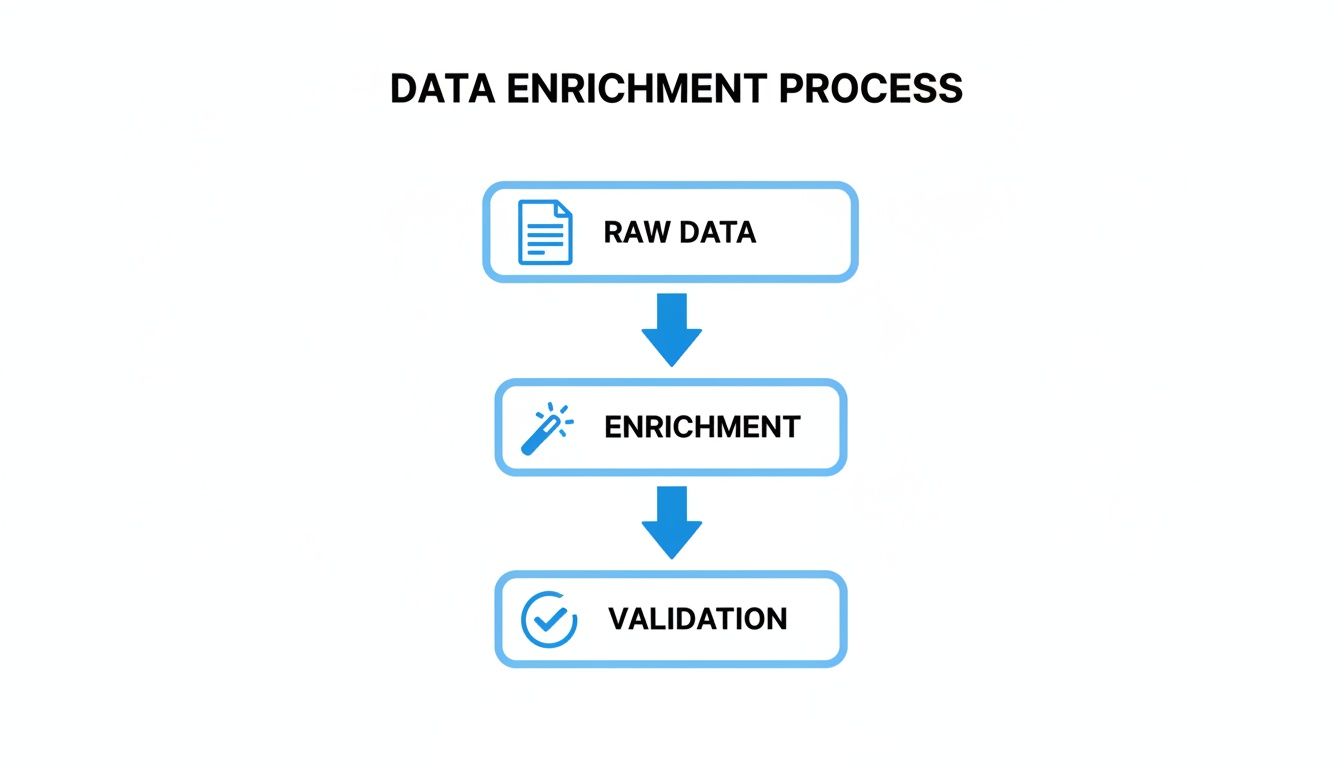
You start with raw data, put it through a rigorous enrichment and validation process, and then map it out to become channel ready. This structured approach is the foundation of successful multichannel sales.
Let's get practical. Each major marketplace has its own set of non negotiable attribute requirements. If you don't provide the data they need in the format they expect, your products might get rejected outright or, worse, buried so deep in search results that no one ever finds them.
A few real world examples show just how different these requirements can be:
bullet_point1 through bullet_point5, a search_terms field, and valid identifiers like a GTIN (UPC/EAN) for many categories.product_type and google_product_category are essential for your products to show up in the correct searches and ad campaigns.focal_length, compatible_brand, and camera_type.Here’s a quick comparison to help you prepare your master data sheet for the big three.
| Attribute Type | Amazon (Example) | Google Shopping (Example) | eBay (Example) |
|---|---|---|---|
| Product Identifier | external_product_id (e.g., UPC, EAN) | gtin | EAN or UPC |
| Title/Name | item_name (Max 200 characters) | title (Max 150 characters) | Title (Max 80 characters) |
| Description | product_description & bullet_point | description (Recommended 500-1000 characters) | Description (HTML supported) |
| Categorization | feed_product_type | google_product_category | PrimaryCategory (ID number) |
| Brand | brand_name | brand | Brand (Item Specific) |
| Image URL | main_image_url | image_link | PictureURL |
| Category-Specific | color_name, size_name | color, size | Color, Size (Item Specifics) |
As you can see, even for basic attributes like the title, character limits and field names vary wildly. A robust master data sheet will account for these differences from the start.
Manually reformatting spreadsheets for each channel is not just tedious; it’s unsustainable. A modern Product Information Management (PIM) system automates this mapping, letting you create rules to transform your master data into perfectly formatted feeds for any channel. This saves countless hours of mind-numbing work.
The way people discover products is changing. AI powered search engines and shopping assistants are becoming more common, and they interact with product information differently than traditional algorithms. This has led to a new discipline: Generative Engine Optimization (GEO).
GEO is all about structuring your product data so AI models can easily understand it and present it favorably in conversational search results. This means focusing on natural language, clearly explaining benefits, and answering potential customer questions directly within your descriptions.
A product data sheet designed for GEO might include fields for:
By building these elements into your master data, you're preparing your catalog for the future of search. You can learn more about how to structure your content in our detailed guide on Generative Engine Optimization (GEO).
Imagine you have 500 products to list on three different channels. Manually creating and managing 1,500 different product listings is a logistical nightmare just waiting to happen. It's not a question of if a mistake will be made, but when.
This is where automation becomes essential.
Using a PIM system, you can set up a "map once, push everywhere" workflow. You connect your master product data sheet to the PIM and then create channel specific templates. These templates pull data from your master file and automatically reformat it based on the rules you set for each marketplace.
For example, your master description might be 300 words long. For a channel with a 1,000-character limit, the PIM can automatically shorten it or pull from a "short description" field instead. This ensures compliance without constant manual intervention, drastically improving data accuracy across all your sales channels.

Your product data is never static. It’s a living, breathing thing that changes constantly as new SKUs arrive, prices get updated, and suppliers send revised information. Trying to manage these updates directly in your live system is like trying to change a tire on a moving car. It’s risky and bound to cause problems.
This is where the concept of a "Data Holding Bay" becomes a lifesaver. Think of it as a secure quarantine zone for all incoming information. Before any new data from a supplier spreadsheet or system import can touch your pristine master catalog, it lands here first.
In this safe space, you can compare the new data against your existing records. You can see exactly what’s changed, what’s new, and what might be an error, all without the risk of accidentally overwriting good information. This single workflow prevents countless data integrity headaches down the road.
Once you have a system for safely merging new data, the next critical piece is knowing who changed what and when. This is where versioning and audit trails come into play. They are the ultimate safety net for your product information.
Imagine a team member accidentally updates the prices for an entire product line with the wrong numbers. Without version control, you're stuck in a frantic scramble, trying to find an old file to fix the mess. With it, you can simply roll back to the previous, correct version in a matter of clicks.
An audit trail goes even deeper, providing a clear, time stamped log of every single change made to a product.
This level of transparency is essential for accountability and troubleshooting. It stops the finger pointing and makes it incredibly easy to track down the source of any data discrepancy.
A detailed history of your product data isn't just about fixing mistakes. It provides valuable insights into your operational workflow and helps you maintain accuracy as your team and catalog grow.
A solid import and versioning process isn't just for large enterprises. As e-commerce expands globally, businesses of all sizes need robust data management practices. For instance, the Asia Pacific region is seeing explosive growth in product analytics, with a projected expansion rate of 20.40% CAGR. This boom is driven by the sheer scale of data that e-commerce leaders are managing.
This global trend highlights the need for a scalable workflow that can handle an increasing volume of data without sacrificing accuracy. For an even more powerful setup, you can see how an AI powered PIM and DAM platform like the one we've built at https://nanopim.com can automate these complex data management tasks.
By implementing a data holding bay and embracing version control, you create a resilient system for managing your product information. This approach ensures that every update, whether it’s a minor tweak to a description or a major price revision across thousands of SKUs, is handled safely and accurately. Your product data sheet remains a reliable source of truth, no matter how quickly your business evolves.
Once teams start centralizing product information, the same practical questions tend to pop up. It's totally normal. Shifting how you manage product data feels like a huge undertaking, but it doesn't have to be a headache.
Let's cut through the noise and tackle the most common questions we hear. These are the straightforward, no fluff answers to get you moving in the right direction.
People throw these terms around interchangeably all the time, but they’re not the same thing. It helps to think of it like this: a spec sheet is a single chapter in a much larger book.
A spec sheet is all about the hard technical facts. It’s the nitty gritty, objective detail.
A product data sheet, on the other hand, is the whole encyclopedia. It bundles those technical specs with all the commercial, marketing, and logistical info needed to actually sell the thing.
Think of it this way: a spec sheet tells an engineer if a component will fit. A product data sheet tells a customer why they should buy it, a marketer how to sell it, and a warehouse team how to pack it.
Simple answer: constantly. A product data sheet should be a living document, not a "set it and forget it" file that collects digital dust.
Keeping your data fresh is absolutely critical for accuracy across your sales channels. Outdated info is a direct line to angry customers, bad reviews, and expensive returns, a risk no business can afford.
Your triggers for an update should be automatic anytime something like this happens:
This is where a system with version control becomes a lifesaver. It gives you a complete history of changes, making it easy to track who changed what and when, and even roll back to an old version if someone makes a mistake.
You can, but you absolutely shouldn't. It's one of the most common mistakes we see.
While you'll always work from one master product data sheet as your single source of truth, every sales channel has its own personality, and more importantly, its own set of rules. Forcing the same data everywhere just doesn't work. Your listings will look sloppy, miss optimization opportunities, or worse, get flat out rejected by the marketplace.
The right way to do it is to use your master data sheet as the foundation and then create channel specific versions. You're just mapping your core info to meet the unique needs of each platform. For example:
Tailoring your data this way ensures your products look professional and perform their best on every single channel where you do business.
Ready to stop juggling spreadsheets and start managing your product data with confidence? NanoPIM centralizes all your information into a single source of truth, using AI to enrich your content and automate channel-specific mapping. Take control of your catalog by visiting https://nanopim.com to see how it works.


